
Telematics
Telematics
Fleet telematics delivers live insights into your vehicles by connecting directly to their onboard systems, tracking engine status, battery, and fuel level through the Bee Maps dashboard. It delivers real-time data that improves operational efficiency, reduces costs, and increases safety and supports ELD legal compliance. The technology relies on DIMO devices that connect to a vehicle's OBD-II port.
Installation
1. Device Installation
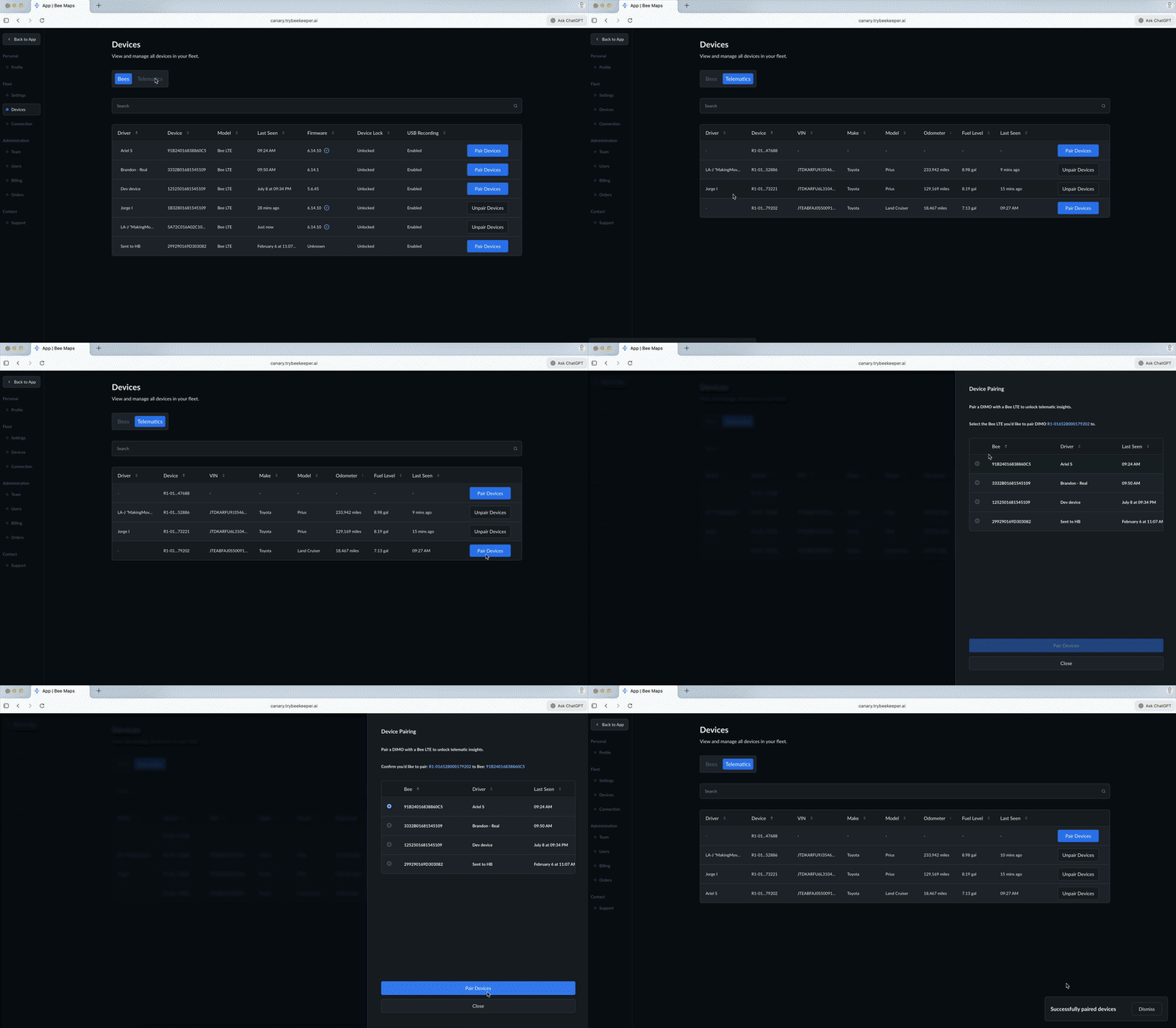
Insert the DIMO device into the vehicle's OBD-II port. It powers on automatically and comes online within 1-2 minutes.
2. Dashboard Access
After logging into Bee Maps, the DIMO device appears under Settings - Devices - Telematics.
3. Device Pairing
Click Pair Device and select the corresponding Bee driver from the dropdown menu.
Operating Features
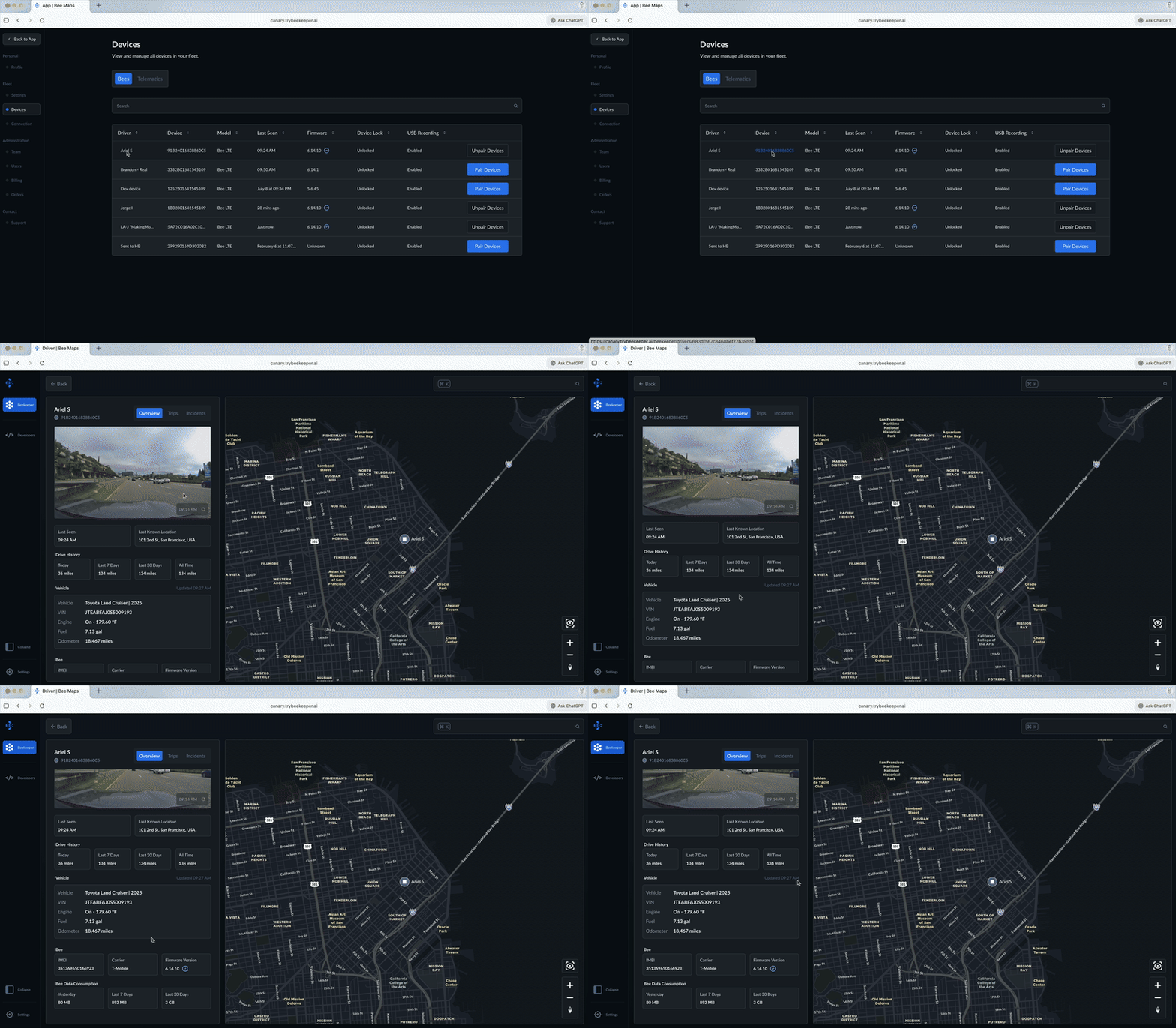
Once paired, telematics displays vehicle data including:
- Make/Model/Year
- VIN
- Location
- Ignition status
- Error codes
- Engine hours
- Battery level
- Fuel level
- Odometer readings
- Plug status
Fleet managers receive alerts when the DIMO device is unplugged.
Limitations
- One DIMO device pairs with one Bee LTE device exclusively.
- Vehicle compatibility varies; a supported vehicles list is available.