
Assign Drivers
Assign Drivers
Assigning drivers ensures trips, events, and alerts are linked to the right people, not just the vehicles. This helps with safety monitoring, accountability, and compliance.
1. Select a Device
- In the Bee Maps dashboard, go to your Drivers list.
- Choose the device you want to update.
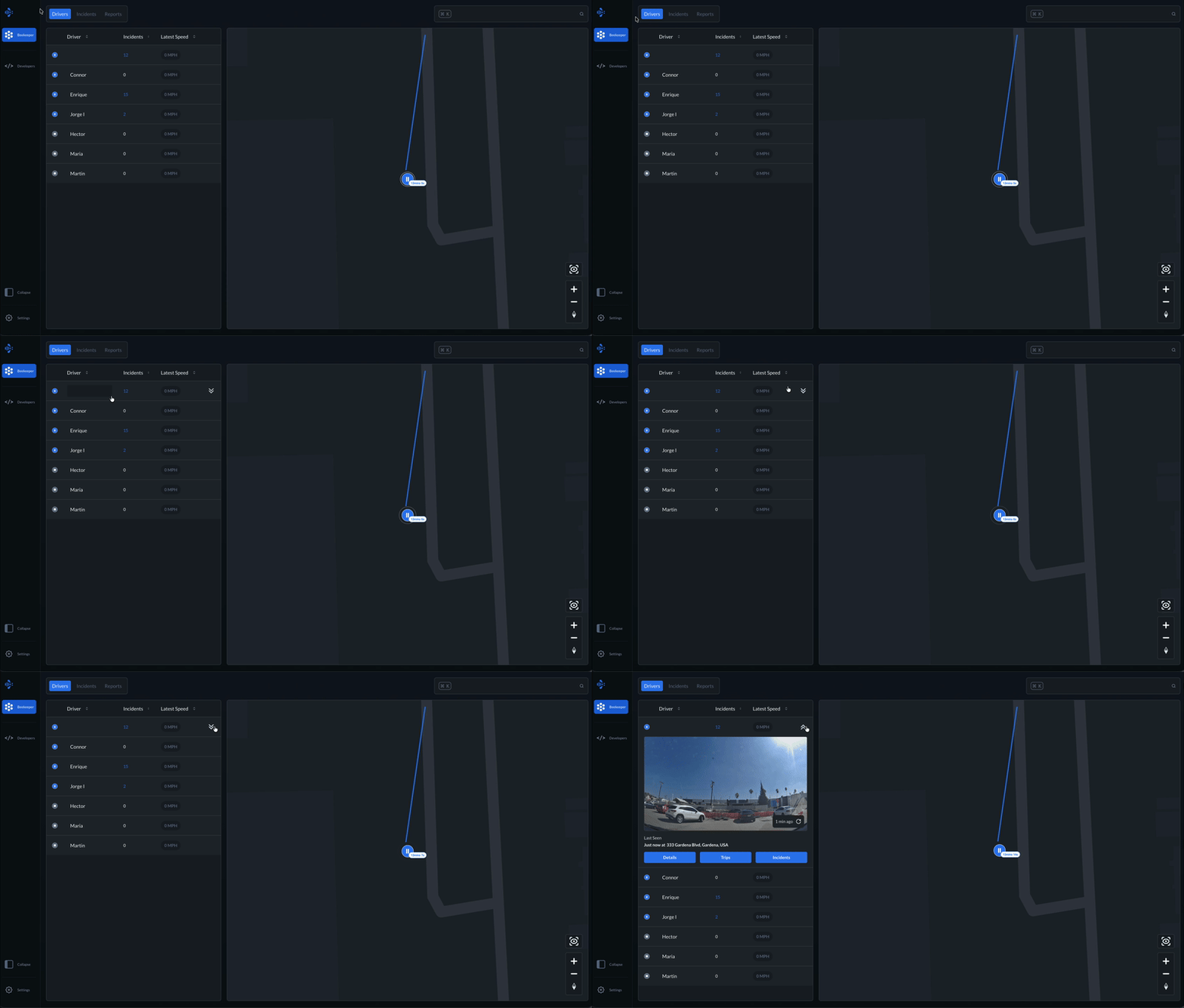
2. Open Device Details
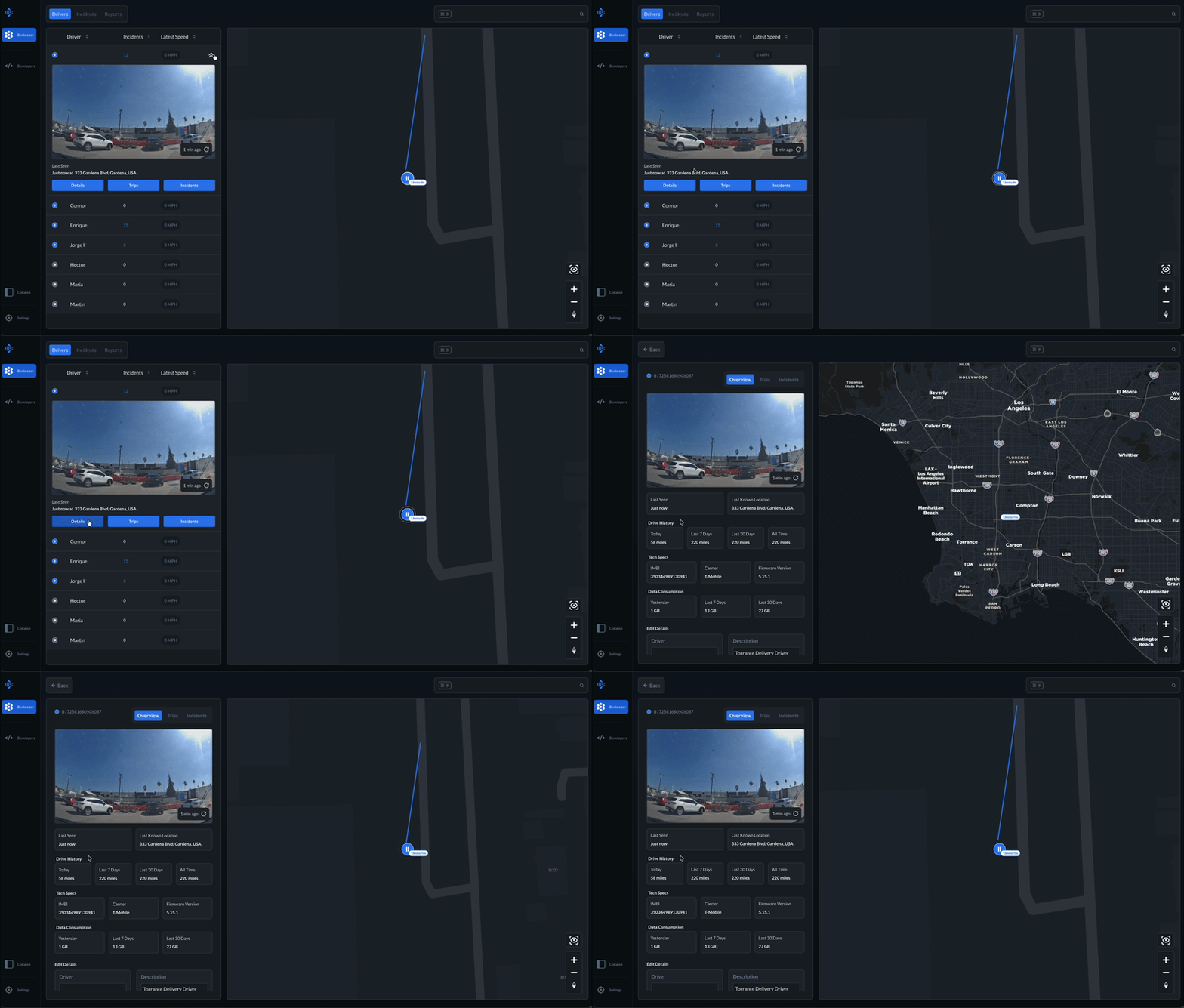
- Click on the Device to view its details page.
- Here, you'll see live feed, drive history, data usage, and technical specs.
3. Edit Driver & Vehicle Information
- Under Edit Details, fill in:
- Driver Name
- Description (e.g., Employee ID, role)
- License Plate
- Vehicle Type (e.g., SUV, Truck, Van)
- New information added to each field will be automatically saved.
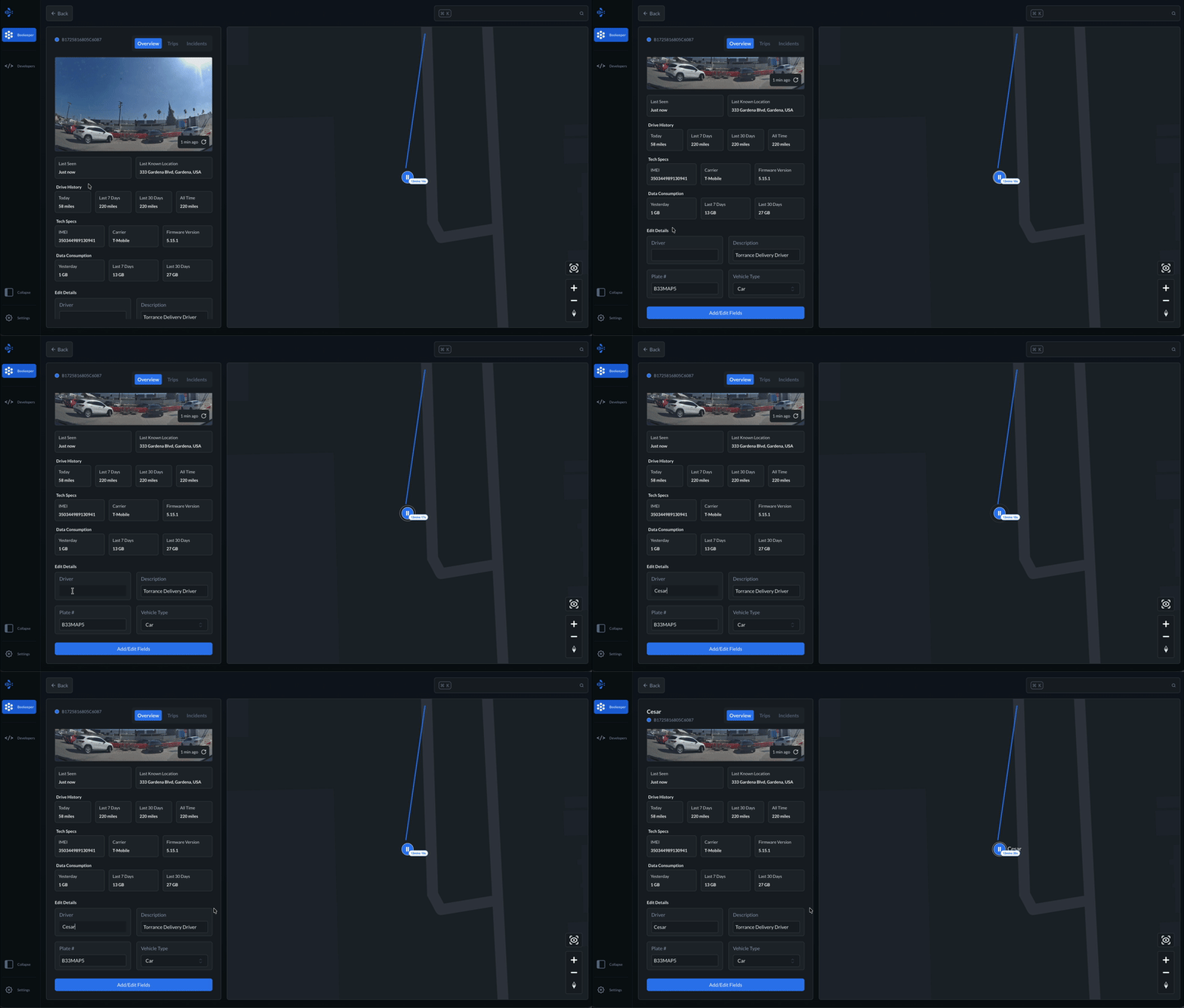
Tap Add/Edit Fields to add custom fields catered to your fleet needs.