Billing & Payment
Billing and Payment
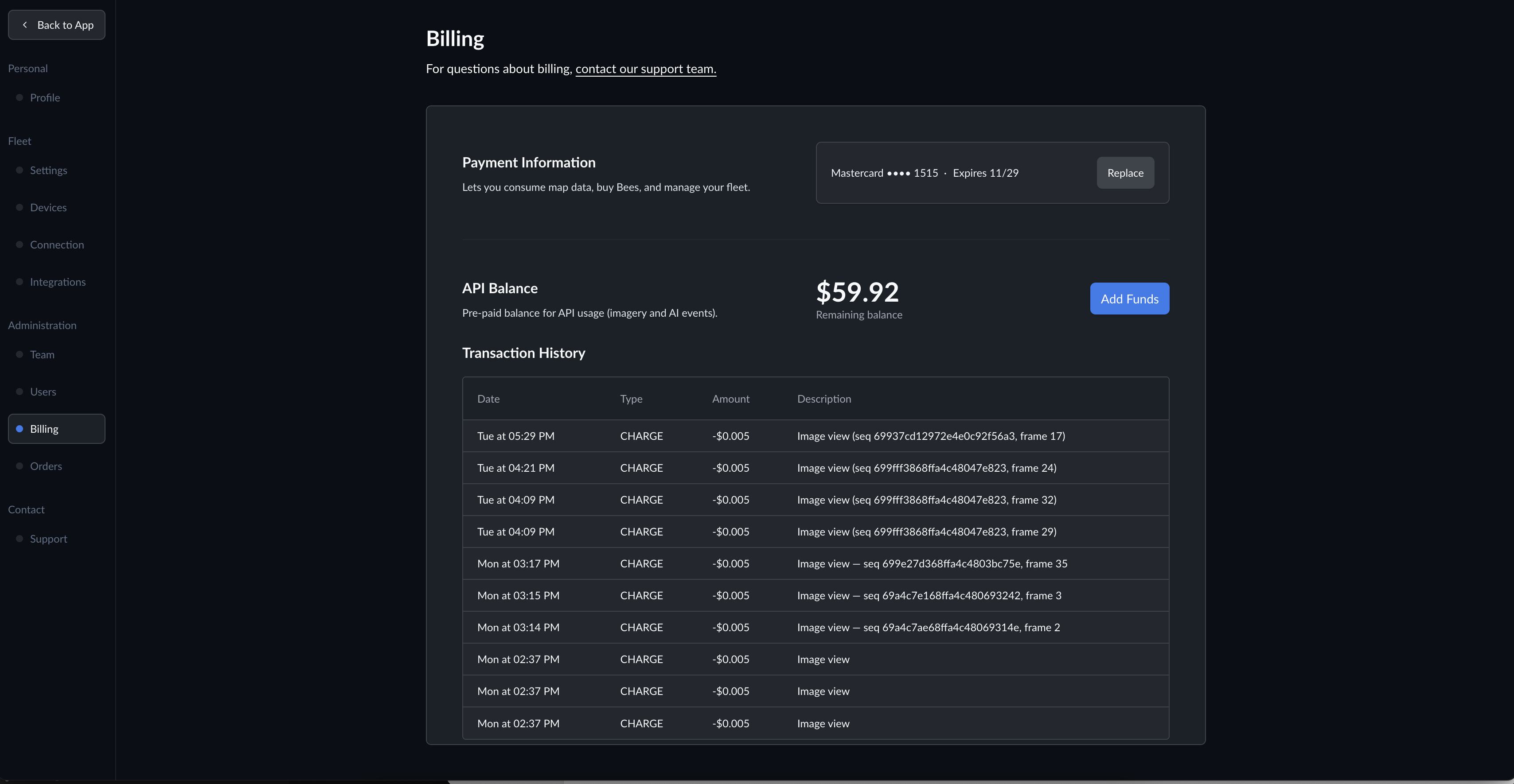
Manage your payment methods, API balance, and transaction history from the Settings > Billing page.
Payment Information
Add or update a credit card to pay for:
- Bee Membership and fleet software subscriptions
- Bee Edge AI device services
Your card on file is displayed along with its expiration date. Click Update to change your payment method.
API Balance
Your API balance is a prepaid account used to pay for consumption-based data API usage, including:
- Street Level Imagery -- dashcam image queries by location
- AI Event Videos -- AI-detected driving event clips with sensor data
- Road Detections -- ML-detected map features (stop signs, traffic lights, lane markings, etc.)
- Burst (On-Demand Mapping) -- request fresh imagery for specific locations
API calls are deducted from your balance automatically. For detailed per-product pricing, see the Pricing page.
Adding Funds
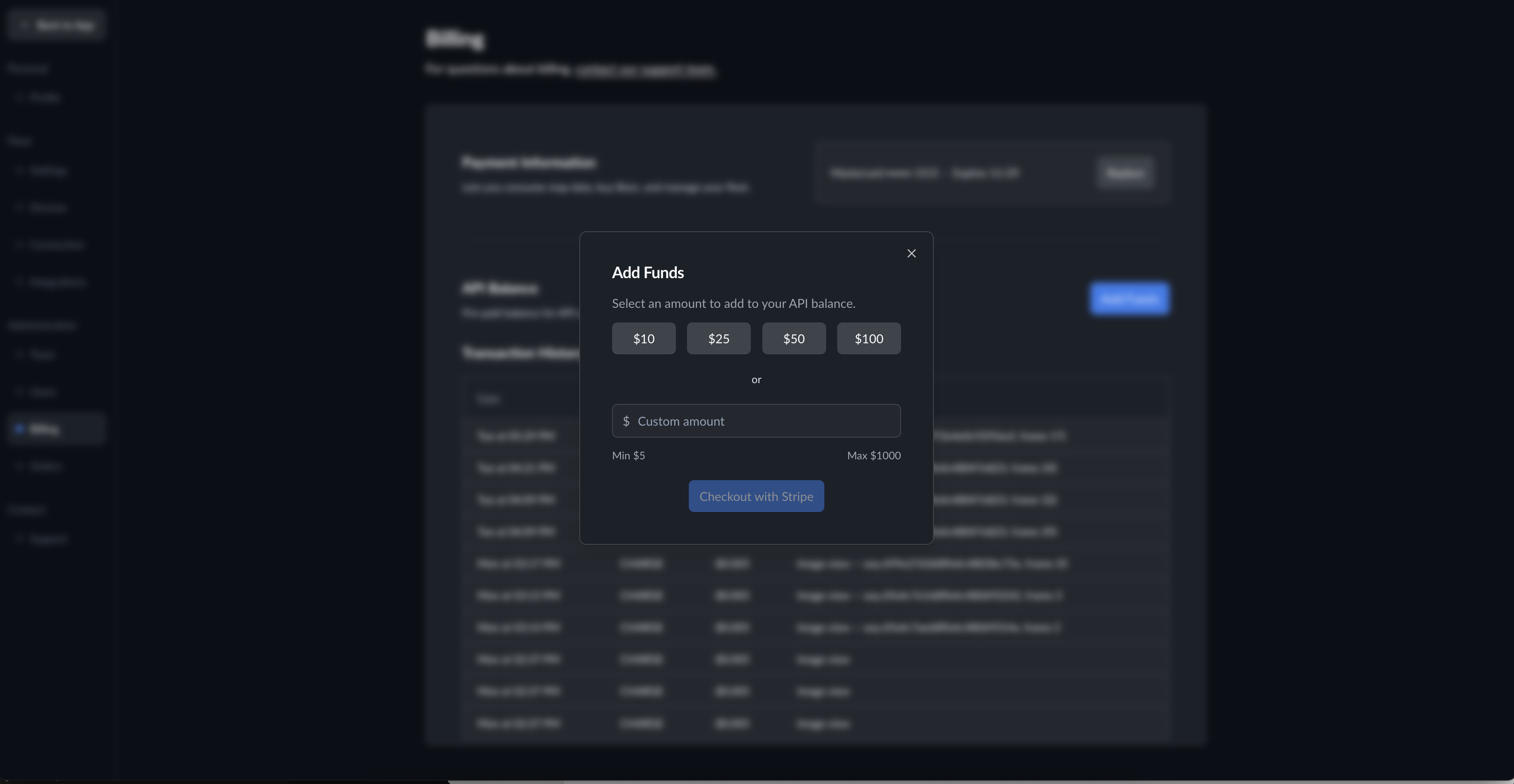
Click Add Funds to top up your API balance:
- Select a preset amount ($10, $25, $50, or $100), or enter a custom amount between $5 and $1,000
- Click Checkout with Stripe to complete the payment
- Funds are added to your balance immediately after checkout
Transaction History
View a complete log of all billing activity, including:
- API balance top-ups
- API data consumption charges
- Subscription payments
Each entry shows the date, amount, and a description of the charge.