Bee Maps Data API
What is the Bee Maps Data API?
APIs to consume street-level intelligence data and incentivize the collection of more data.
Key Differentiators
- Fresh data: Days to weeks old, not months/years like traditional providers
- Global coverage: 37% of world roads mapped, see here
- Programmable: Query any geometry (point, line, polygon) with flexible filters
- Flexible licensing: Build derived datasets from imagery
- On-demand collection: Request data in specific locations via an API
Pricing
- See pricing here
Getting Started for Developers
Generate API Key
- Login to your dashboard on Beemaps.com
- From Bee Maps Dashboard, go to Developers - API Key
- Click Get API Key
API Reference
For complete API documentation including endpoints, request/response schemas, and code examples:
API Products
Street-Level Imagery
Geolocated dashcam frames with timestamps, GPS accuracy metrics, and IMU data. Globally available.
Map Features / Road Detections
ML-detected road objects — speed limits, stop signs, fire hydrants, traffic lights, lane markings, turn restrictions — with confidence scores, geo-coordinates, and precise positioning. Currently available in US, EU, and UK.
AI Event Videos
Video clips of notable driving events for training autonomous driving models and world models. Each video is paired with synchronized GPS traces, speed data, and event metadata. Event triggers include harsh braking, speeding, swerving, high g-force maneuvers, and fast acceleration.
Deep dive article and sample data — see here.
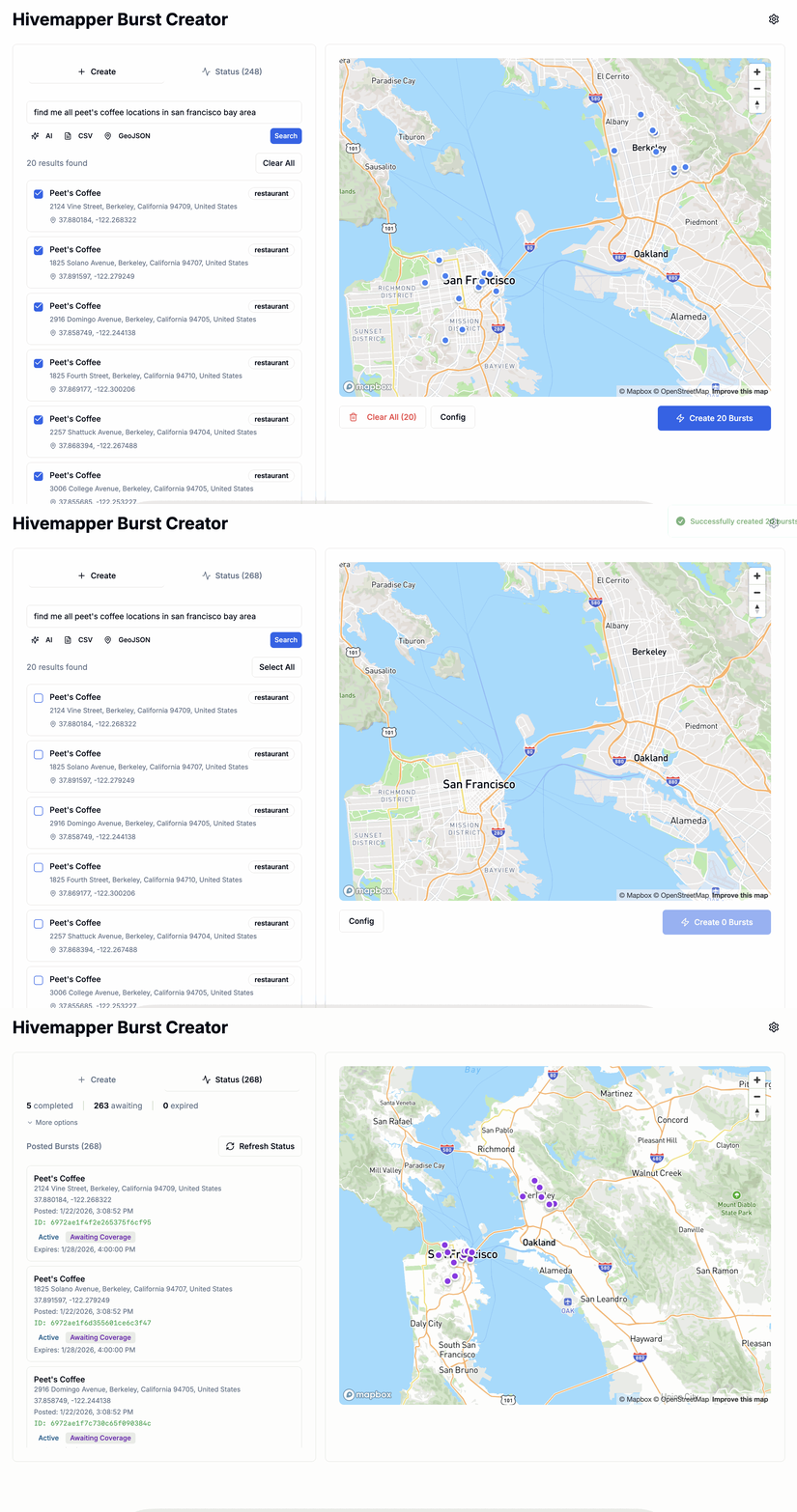
Burst — On-Demand Collection
Incentivize drivers to map specific areas on-demand. When you create a burst, it goes live in the Bee App immediately. Drivers within range receive a push notification. Coverage timing depends on local driver density — urban areas often see results within hours, while rural areas may take days.
API Playground
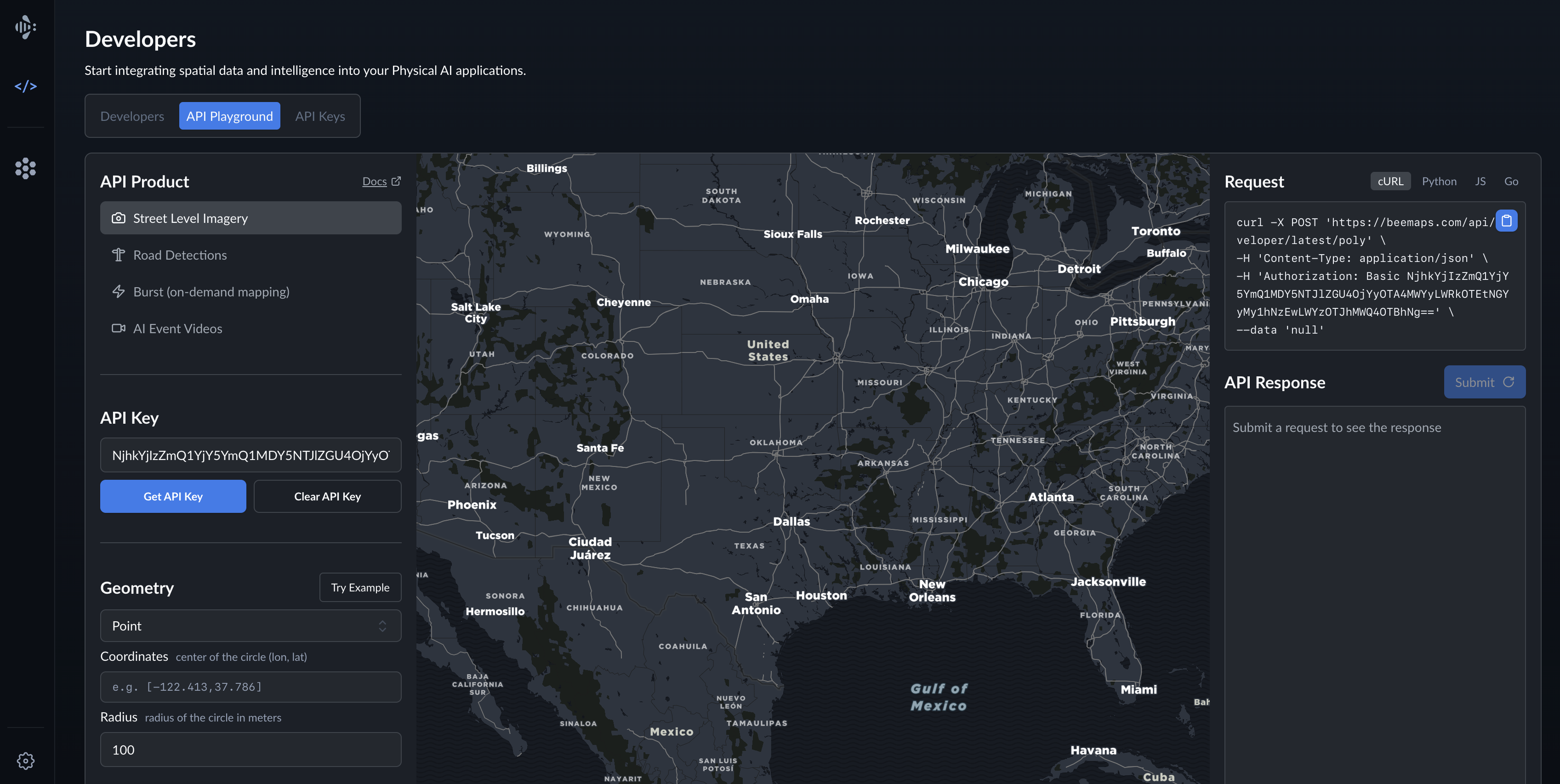
The API Playground lets you interactively explore and test Bee Maps' Developer APIs without leaving your browser. You can authenticate, define query geometry, retrieve map features or imagery, and view the live API responses — all in one place.
Quick Start:
- Click Try Example to populate sample coordinates
- Click Submit to see results in the response panel
AI Agent Integration
Overview
Bee Maps provides a Model Context Protocol (MCP) server that enables AI assistants like Claude, ChatGPT, and Cursor to query road intelligence data using natural language.
The MCP server exposes Bee Maps road intelligence APIs as tools that AI agents can invoke automatically based on user requests like "show me speed limits on Main Street" or "check road conditions along my delivery route."
MCP Setup
Claude Desktop
- Open Claude Desktop
- Go to Settings
- Go to Connectors
- Click Add Custom Connector
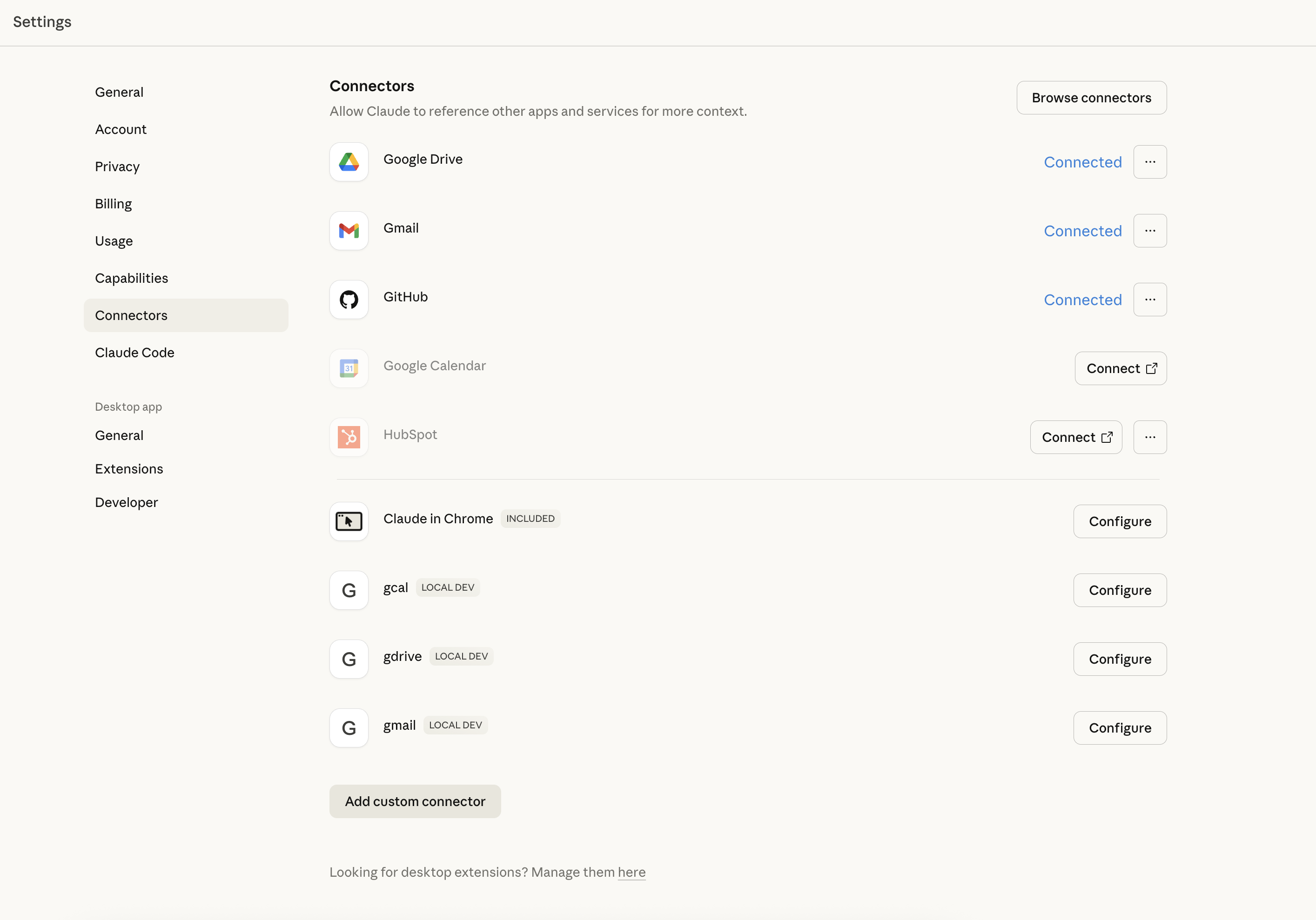
Add Beemaps MCP
- Enter name e.g. Beemaps
- Remote MCP Server URL
https://beemaps.com/api/mcp?apiKey=ADD_YOUR_API_KEY_HERE- Get your API Key here.
- Click Add
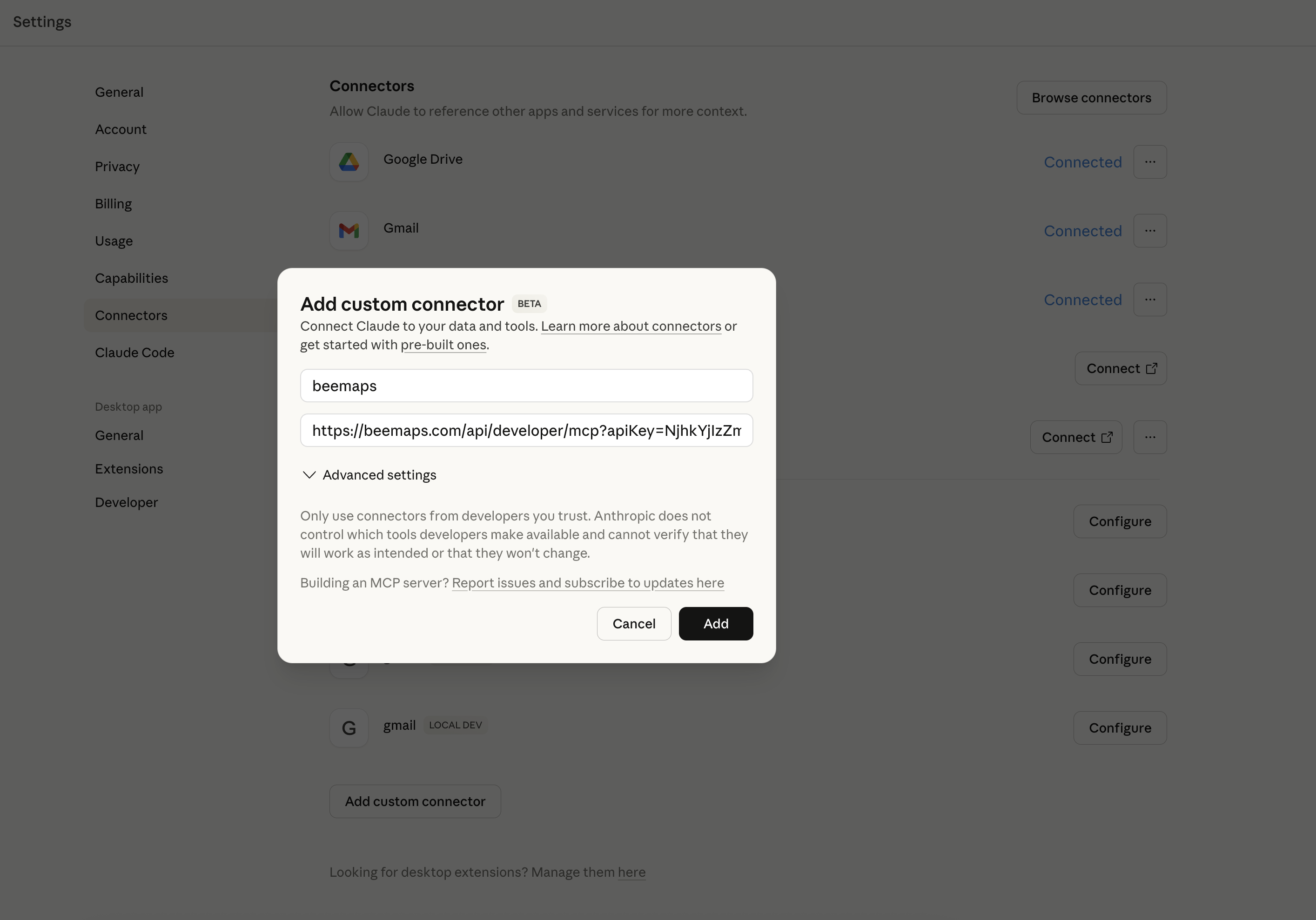
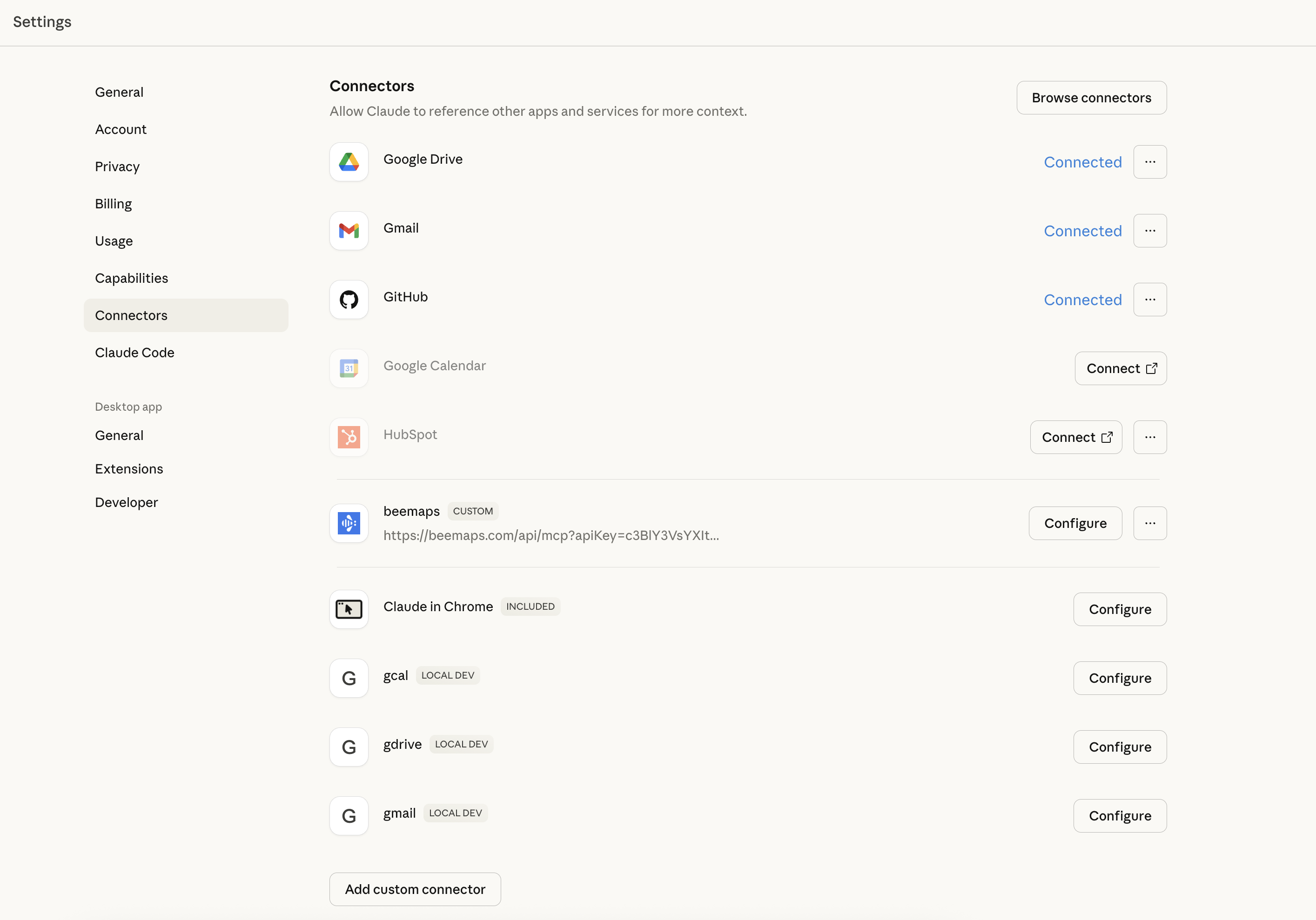
Confirm Beemaps MCP was Added
You should see your new Beemaps connector added as shown.
Constraints Agents Must Follow
- Break large areas into smaller queries - Don't try to query an entire city at once, must be smaller than 5 Sq Km.
- Coordinate order is
[longitude, latitude]- Not lat/lon - Check balance periodically - Call
GET /balanceduring multi-query workflows - Image URLs expire - Download images promptly after receiving URLs
- Burst timing varies - Urban areas may get coverage in hours, rural areas may take days
Use Cases
Fleet Operations & Route Validation
Logistics companies verify road conditions before dispatching vehicles--check for construction, changed speed limits, or new traffic patterns along delivery routes.
What you get:
- Speed limits along your route
- Turn restrictions that affect routing
- Recent imagery showing current road conditions
APIs used: Street Level Imagery API, Map Features API
Robotaxi & Delivery Dropoff Validation
Autonomous vehicle and delivery services verify that pickup/dropoff locations are accessible--check for fire hydrants, parking restrictions, or obstacles.
What you get:
- Fire hydrant locations (no stopping zones)
- Parking restriction signs and time limits
- Lane markings to determine if location is in traffic lane vs. shoulder
- Recent imagery for visual verification
APIs used: Street Level Imagery API, Map Features API
AI Model Training Data
Computer vision teams collect labeled street-level imagery with known map features for model training.
What you get:
- Images with detected objects and bounding boxes
- Confidence scores for each detection
- Feature-specific properties (speed limit values, sign types)
- Camera intrinsic parameters for image undistortion
APIs used: Street Level Imagery API, Map Features API
POI Verification
Retail analytics, local search, and mapping companies verify whether businesses are still operating at listed locations--check storefronts, signage, street addresses, or vacant properties.
What you get:
- Recent street-level imagery showing storefront status
- Multiple angles and timestamps to confirm consistency
- Historical imagery to track changes over time
- GPS coordinates with accuracy metrics
APIs used: Street Level Imagery API
Government Asset Inventory
Cities inventory street assets--fire hydrants, traffic signals, signage--for maintenance planning.
What you get:
- Geolocated positions of all detected assets
- First/last seen timestamps for change detection
- Confidence scores for data quality assessment
APIs used: Map Features API
Insurance Assessment
Insurance companies assess road conditions and property visibility for claims or underwriting.
What you get:
- Recent imagery of locations
- Road feature data for risk assessment
- Data freshness timestamps
APIs used: Street Level Imagery API
Real Estate Situational Awareness
Investors and buyers understand what's actually happening around a property at different times--traffic patterns, nearby businesses, street activity, and neighborhood character.
What you get:
- Street-level imagery from multiple time periods
- Road features showing traffic patterns and restrictions
- Visual context of surrounding area and businesses
- Freshness timestamps to understand data recency
APIs used: Street Level Imagery API, Map Features API
Map Freshness & Change Detection
Mapping and navigation companies keep their maps current with locally-sourced, recent data rather than relying on infrequent survey vehicles. Monitor specific objects or road features over time--track new speed limits, changed signage, road modifications, or infrastructure updates.
What you get:
- Fresh imagery (days/weeks old, not months/years)
- Detected road features with timestamps
- First seen/last seen metadata for change indicators
- On-demand collection via Bursts for priority areas
- Confidence scores indicating detection reliability
APIs used: Street Level Imagery API, Map Features API, Burst Locations API
On-Demand Collection with Bursts
You need fresh data for a location that has stale or no coverage.
Workflow:
- Check existing coverage with
POST /latest/poly - If stale or missing, create a burst with
POST /burst/create - Monitor burst status with
GET /bursts - Query new imagery once
isHitbecomes true
Below is an app for automatically posting Bursted locations and tracking their status.