
Add Bee Devices
Add Bee Devices
1. Create Account
- Go to https://beemaps.com/login to create your account.
Need more information about making an account? Go here.
2. Add Devices
Connect
- Open the Bee Maps app
- Power on your Bee LTE.
- Connect to its WiFi (
dashcam-xxxxx, password: hivemapper)
Attach your Bee to your Fleet
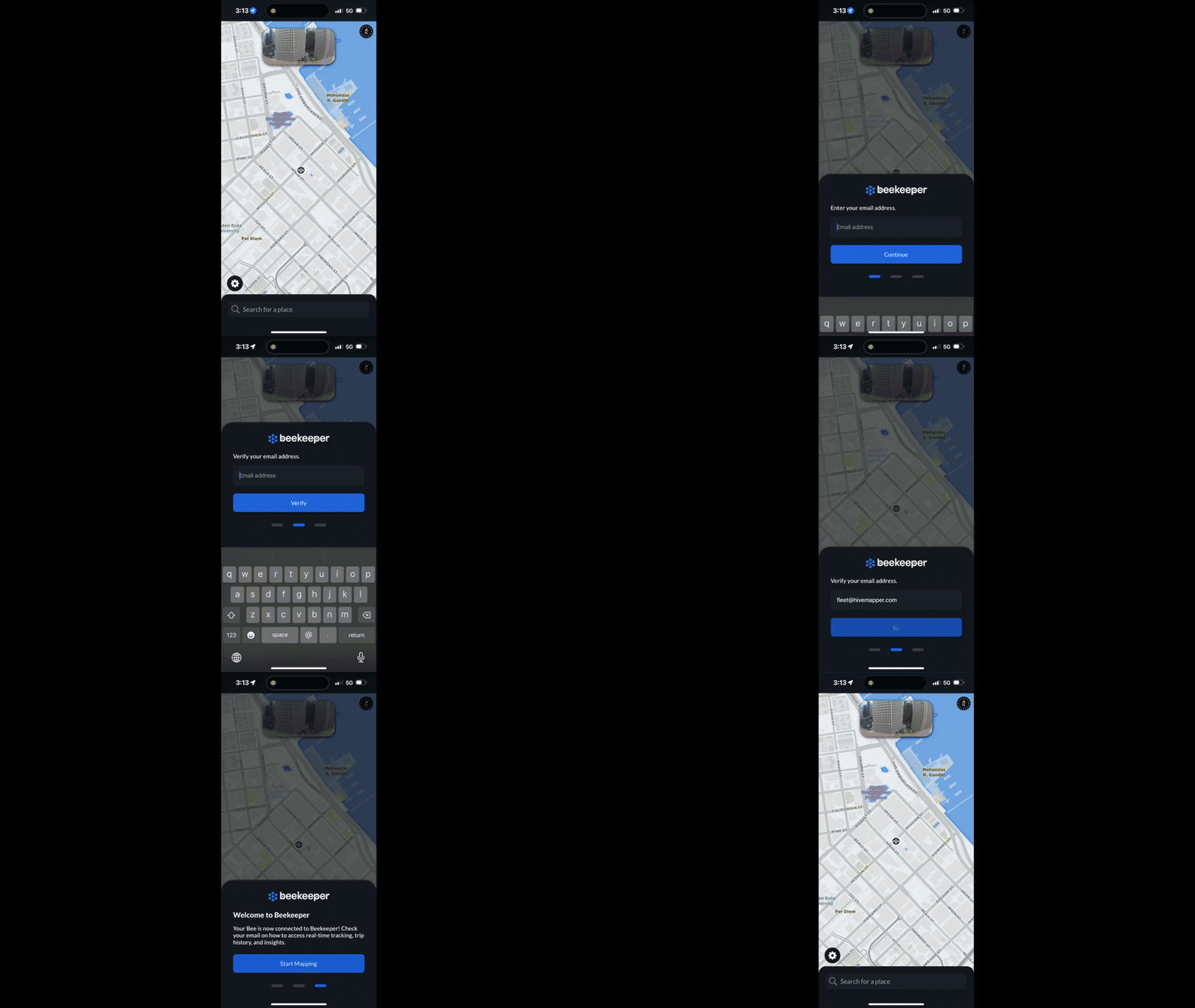
- Enter the email linked to your account from (1) above.
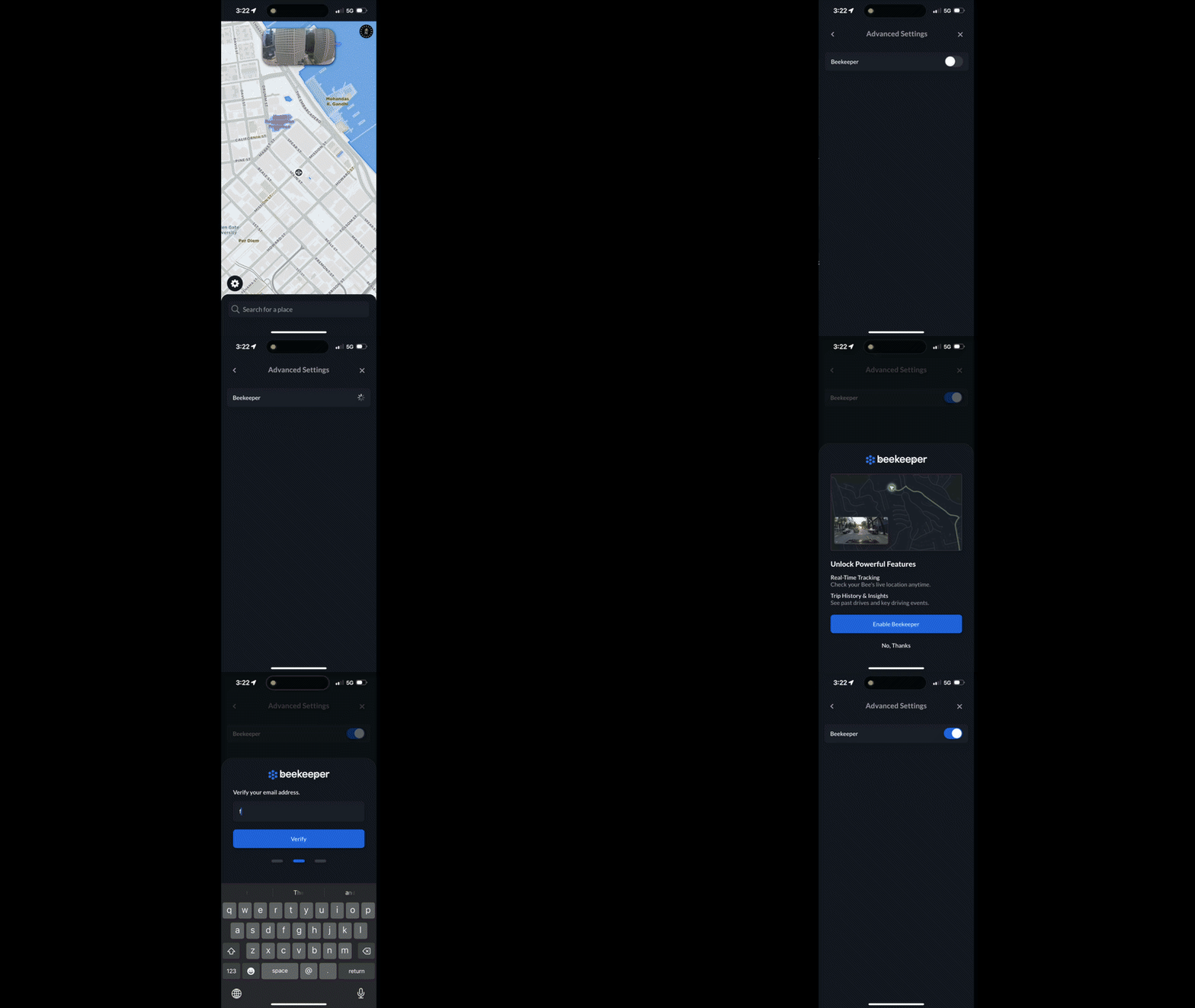
If not prompted go to
- Settings
- Bee
- Advanced Settings
- Beekeeper - Enable
Confirm
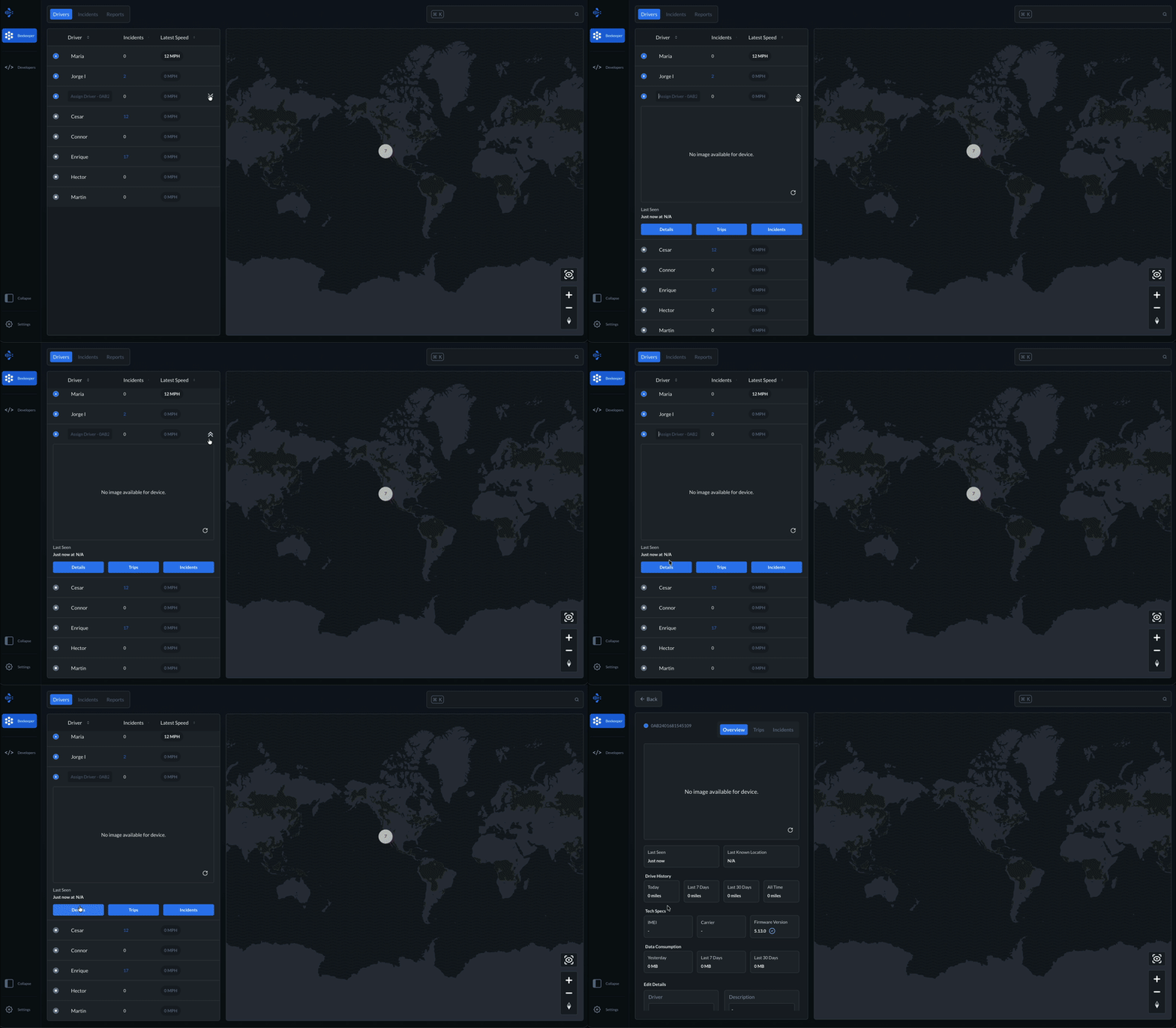
- Your Bee appears in the Beekeeper dashboard with status, trips, and uploads.
3. Assign Drivers
- Once your device is added to Beekeeper, you can assign drivers to it. Learn more here.