
Upload via Bee LTE
Don't have an LTE Data plan? You can purchase one directly with Bee Maps here.
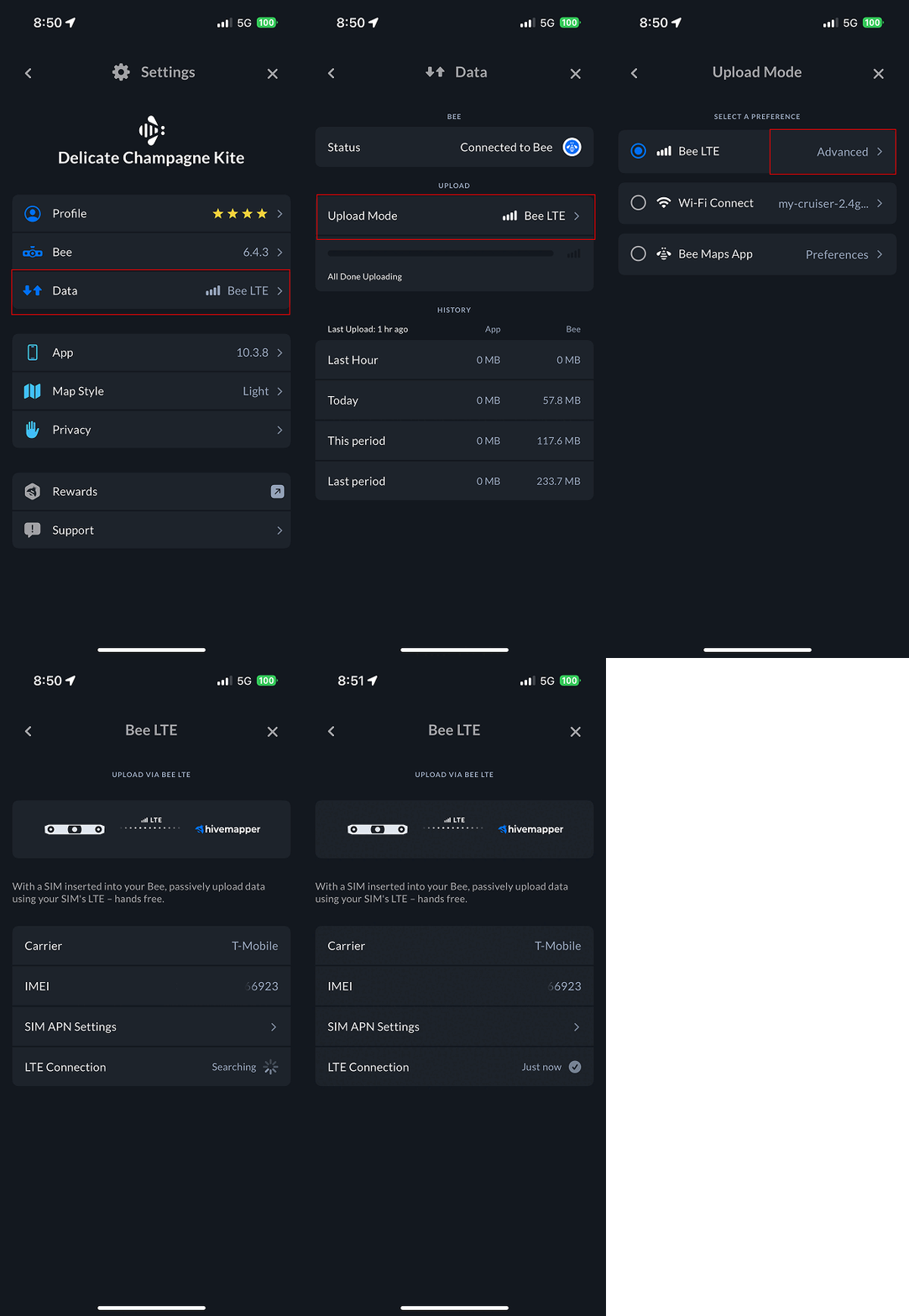
Select Bee LTE Mode
- Open Bee Maps App.
- Go to Settings.
- Go to Data.
- Select Upload Mode.
- Select Bee LTE.
- Under the Bee LTE selection click Advanced.
View Advanced (optional)
Confirm your LTE connection is active.
Check Progress (optional)
- Open Bee Maps App.
- Go to Settings.
- Go to Data.
- Check progress bar.