
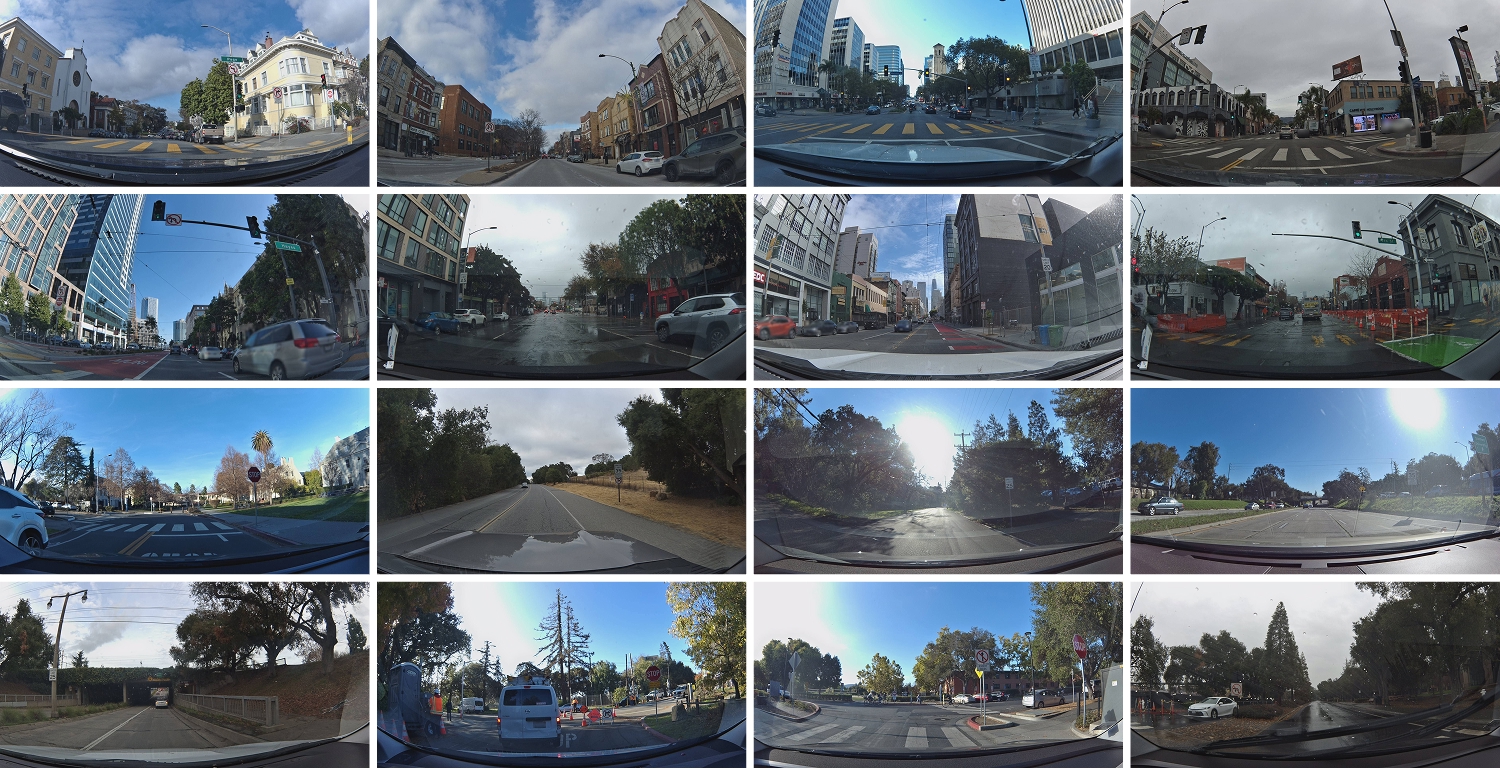
Every Sign, Every Street, Visible on the Map
Zoom into any street with Bee coverage and the map lights up with icons for every detected road object. These aren't imported from a government database or hand-traced from aerial photos. Every icon was mapped by a Bee driving that road, classified by AI, and geolocated using the Bee's GNSS sensor fusion.
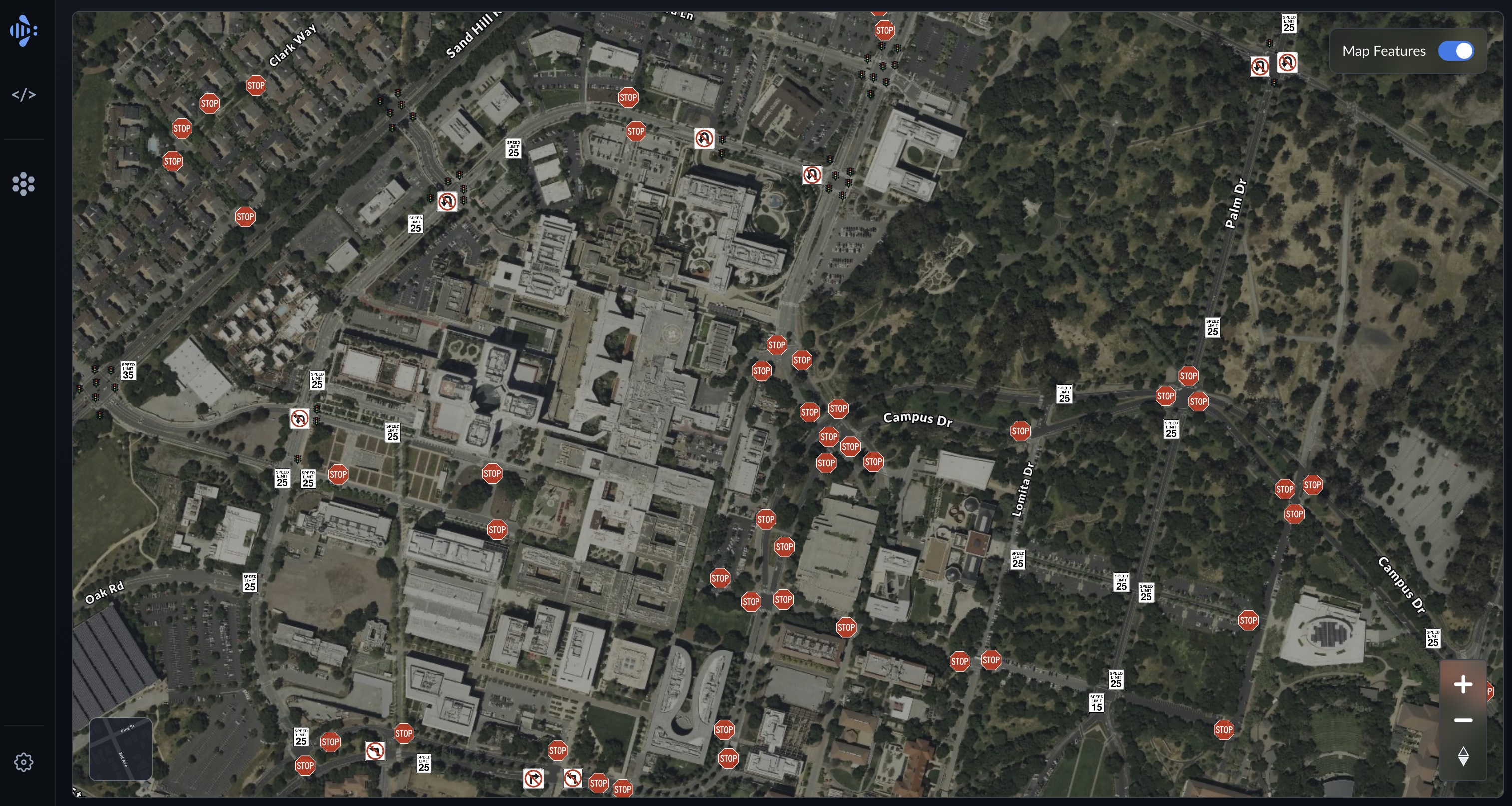
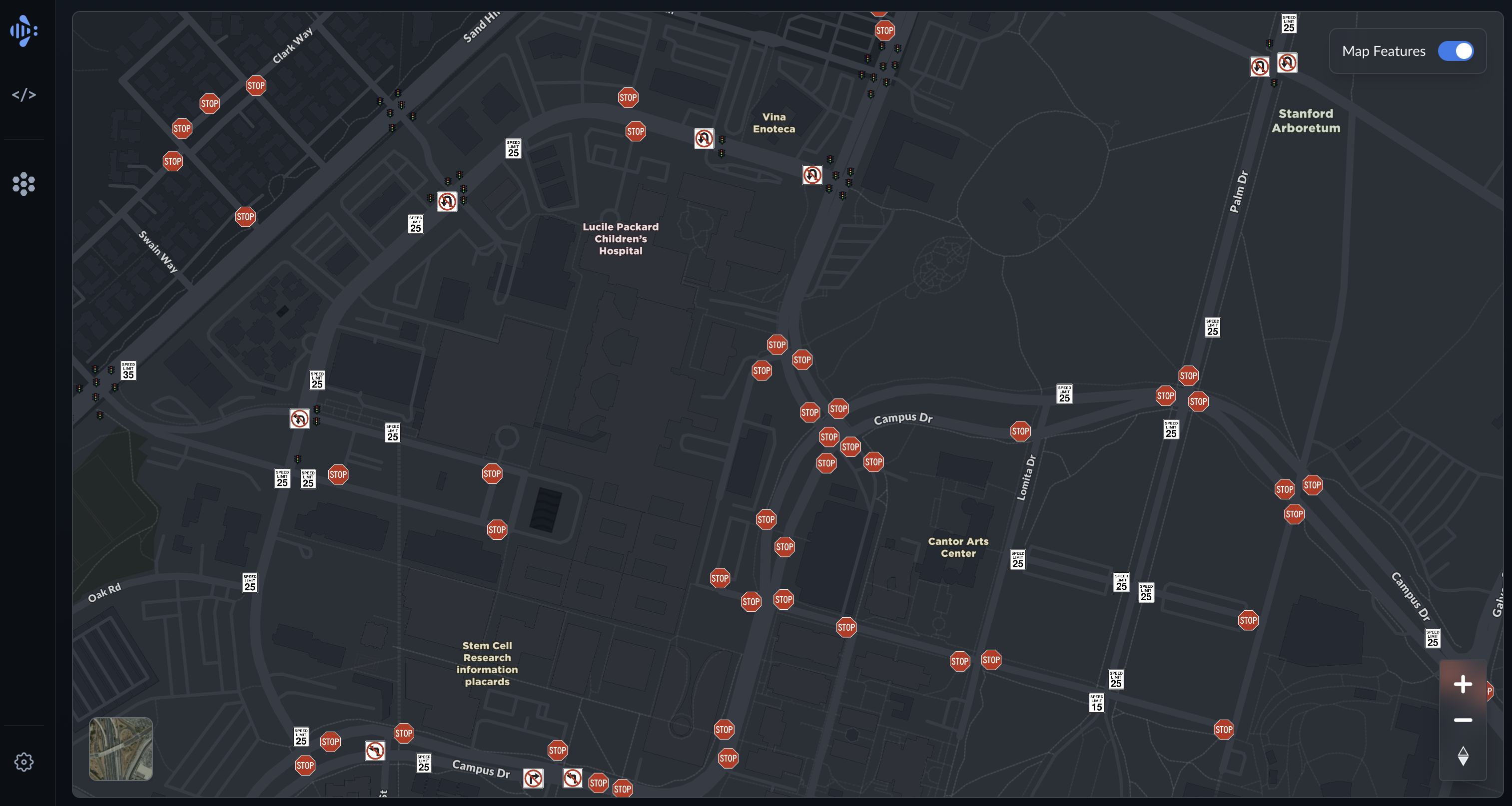
We zoomed into two areas we know well — Stanford University and Downtown Palo Alto — to show what the network sees.
What the Bee Sees on Stanford's Campus
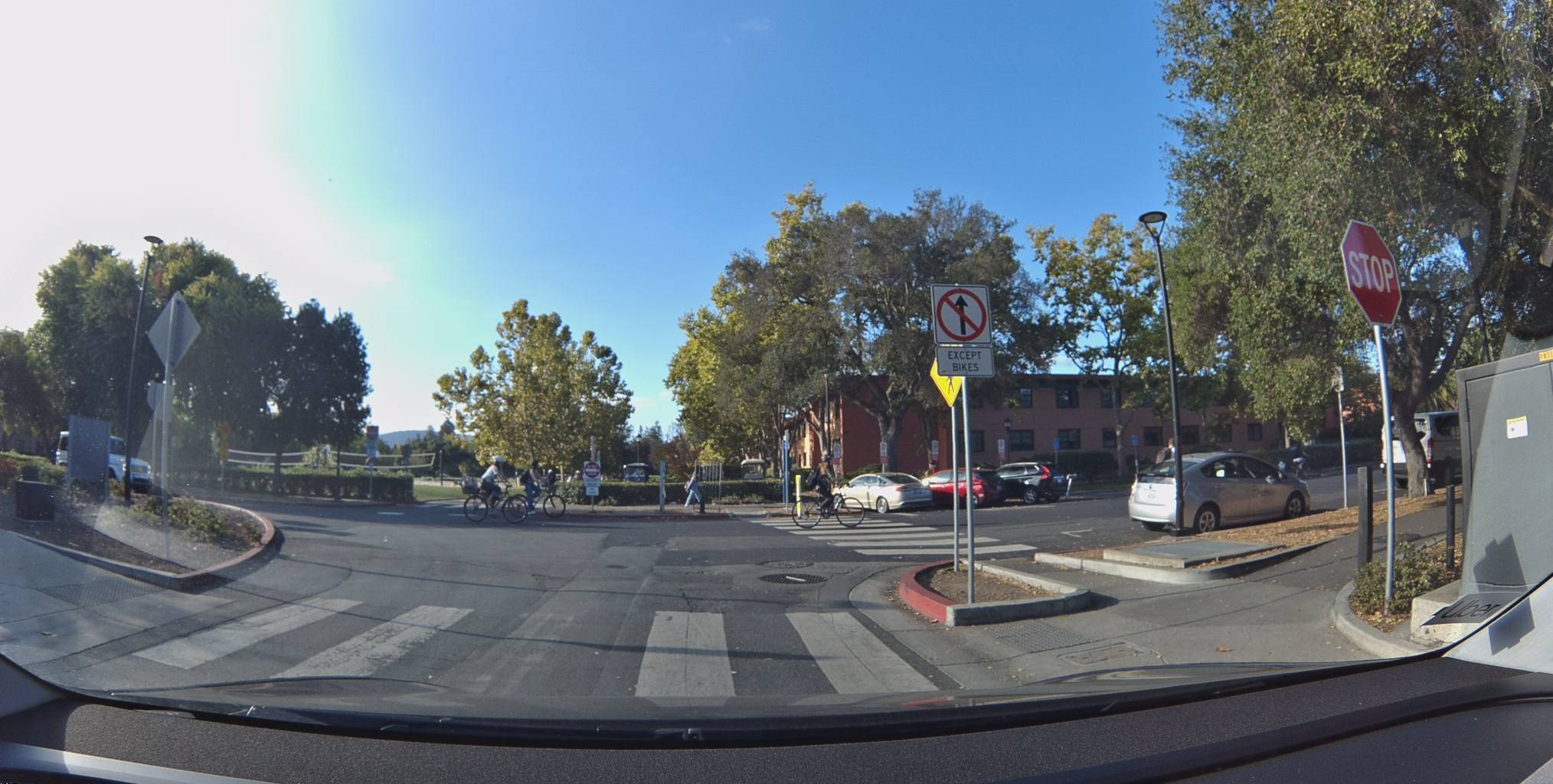
The Bee network found 79 map features across Stanford's campus and surrounding roads. That includes 48 stop signs, 14 speed limit signs, 6 turn restrictions, 7 fire hydrants, and 4 parking restrictions.
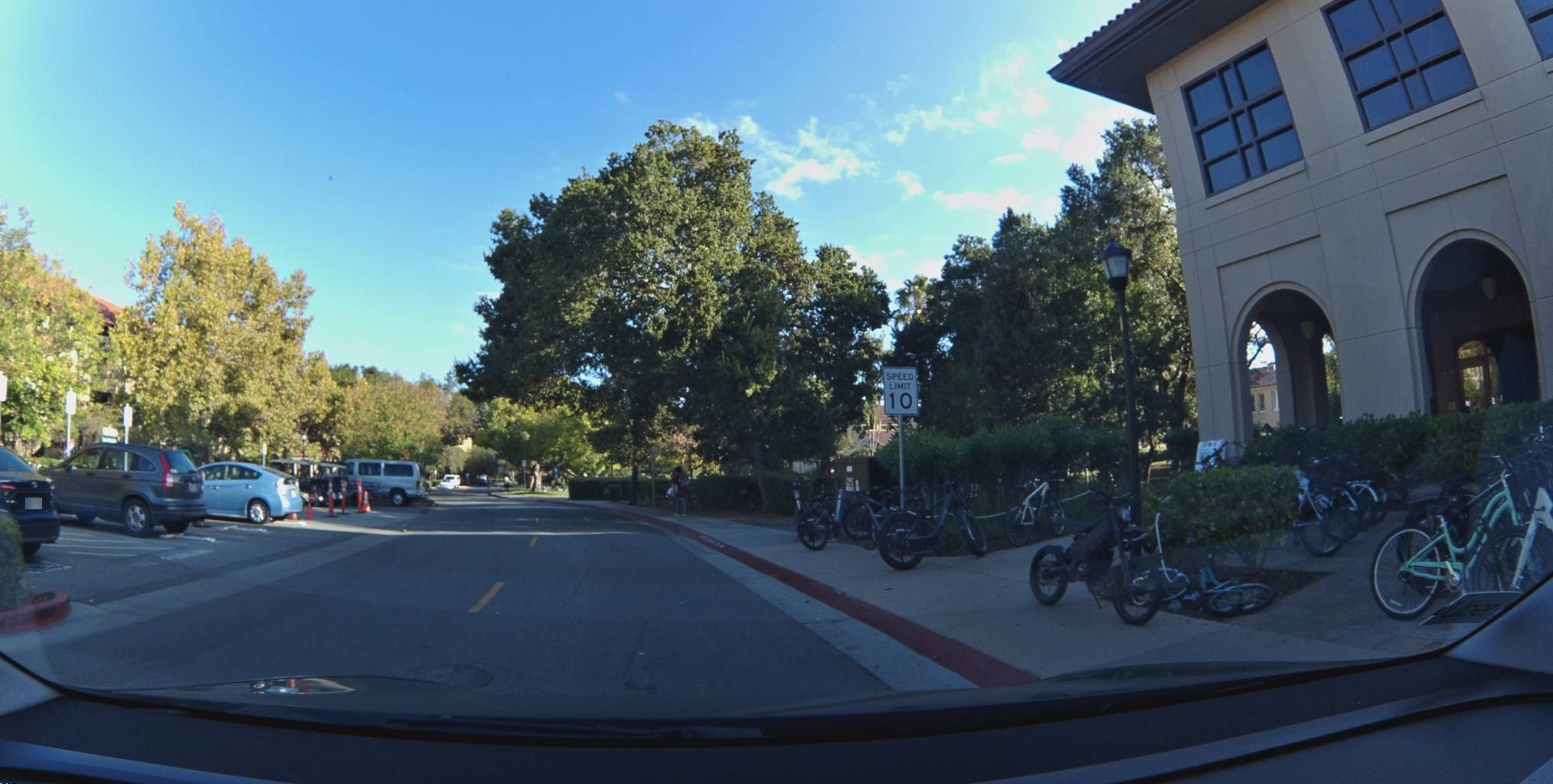
What's immediately interesting: the speed limits tell the story of the campus. The internal roads drop to 10 and 15 mph — pedestrian-priority zones where students and cyclists dominate. Step off campus onto the surrounding streets and the limits jump to 25 mph. It's the kind of granular, location-specific data that no static speed database captures well.
View metadata
Try this API query
curl -X POST "https://beemaps.com/api/developer/map-data?apiKey=<your-api-key>" \
  -H "Content-Type: application/json" \
  -d '{
    "type": ["mapFeatures"],
    "geometry": {
      "type": "Polygon",
      "coordinates": [[
        [-122.1654, 37.4247],
        [-122.1634, 37.4247],
        [-122.1634, 37.4267],
        [-122.1654, 37.4267],
        [-122.1654, 37.4247]
      ]]
    }
  }'
View metadata
Try this API query
curl -X POST "https://beemaps.com/api/developer/map-data?apiKey=<your-api-key>" \
  -H "Content-Type: application/json" \
  -d '{
    "type": ["mapFeatures"],
    "geometry": {
      "type": "Polygon",
      "coordinates": [[
        [-122.1657, 37.4243],
        [-122.1637, 37.4243],
        [-122.1637, 37.4263],
        [-122.1657, 37.4263],
        [-122.1657, 37.4243]
      ]]
    }
  }'
View metadata
Try this API query
curl -X POST "https://beemaps.com/api/developer/map-data?apiKey=<your-api-key>" \
  -H "Content-Type: application/json" \
  -d '{
    "type": ["mapFeatures"],
    "geometry": {
      "type": "Polygon",
      "coordinates": [[
        [-122.1643, 37.4297],
        [-122.1623, 37.4297],
        [-122.1623, 37.4317],
        [-122.1643, 37.4317],
        [-122.1643, 37.4297]
      ]]
    }
}'A Mile North, a Different Story
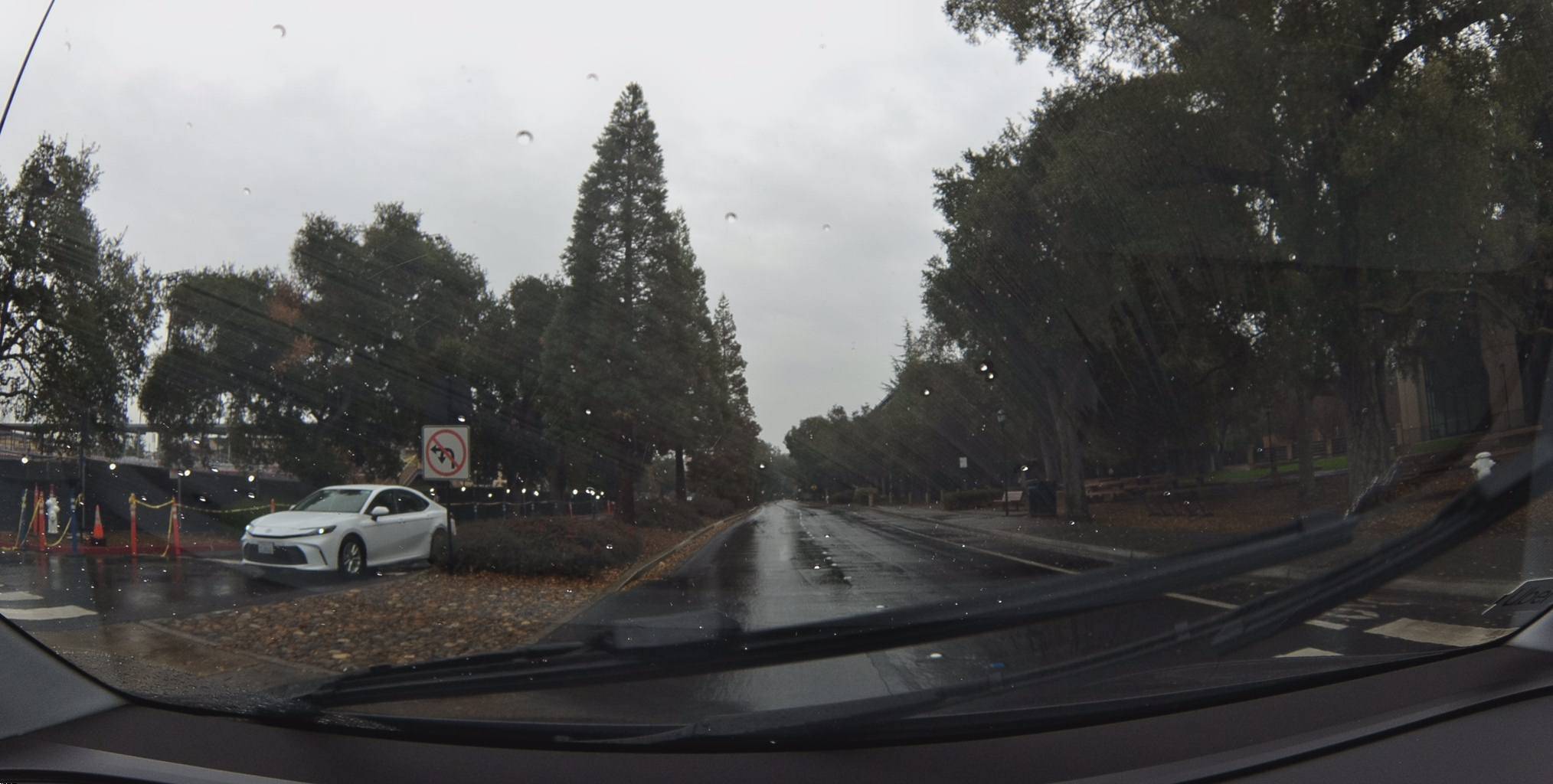
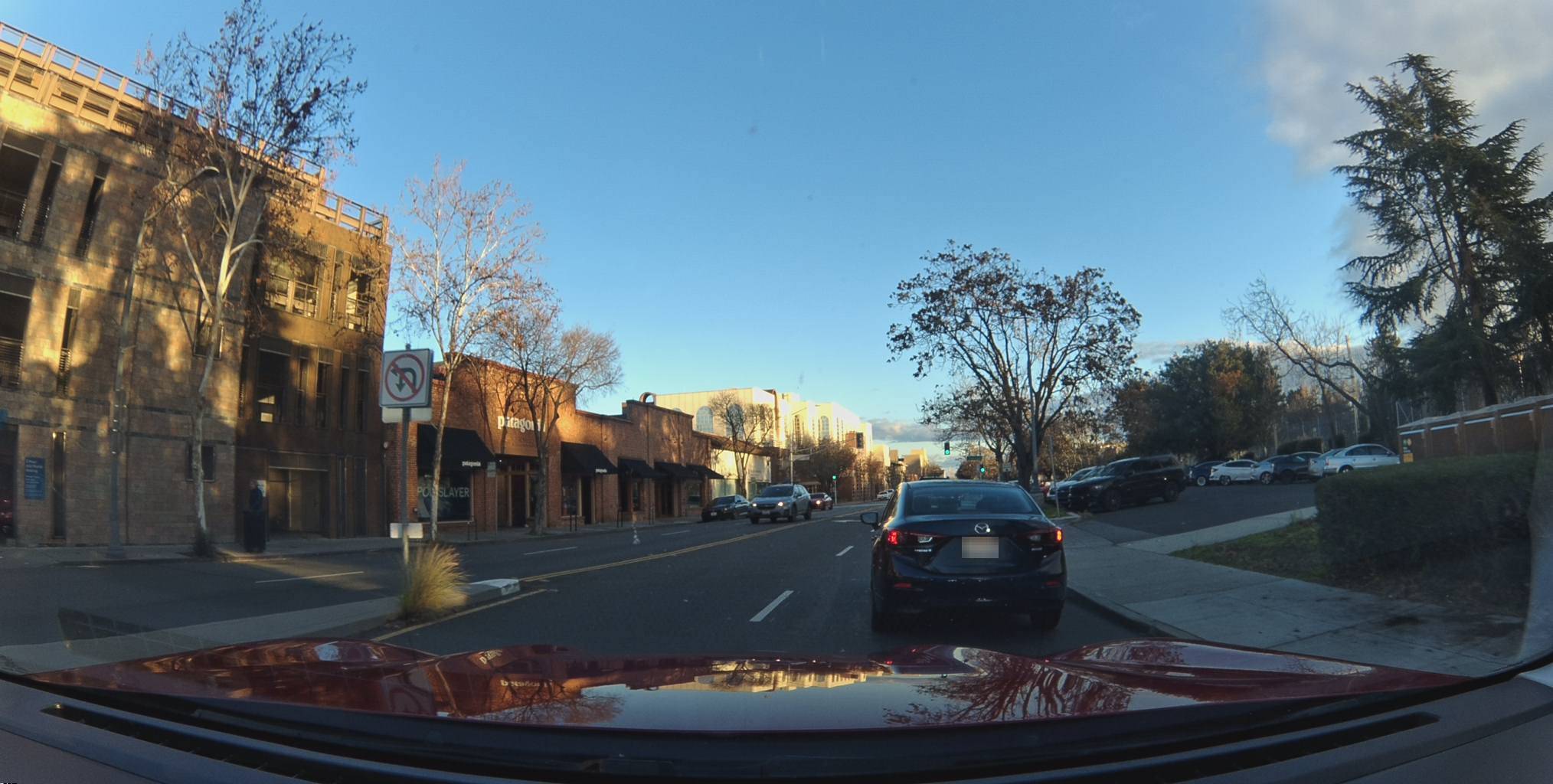
Move north a mile into Downtown Palo Alto and the character of the road changes. The feature that jumps out here isn't stop signs — it's turn restrictions. We found 10 turn restriction signs in this area alone: no-U-turns, no-left-turns, no-right-turns, all clustered around the El Camino Real corridor. This is a street grid designed to funnel traffic, and the signs tell you exactly how.
View metadata
Try this API query
curl -X POST "https://beemaps.com/api/developer/map-data?apiKey=<your-api-key>" \
  -H "Content-Type: application/json" \
  -d '{
    "type": ["mapFeatures"],
    "geometry": {
      "type": "Polygon",
      "coordinates": [[
        [-122.1644, 37.4421],
        [-122.1624, 37.4421],
        [-122.1624, 37.4441],
        [-122.1644, 37.4441],
        [-122.1644, 37.4421]
      ]]
    }
  }'
View metadata
Try this API query
curl -X POST "https://beemaps.com/api/developer/map-data?apiKey=<your-api-key>" \
  -H "Content-Type: application/json" \
  -d '{
    "type": ["mapFeatures"],
    "geometry": {
      "type": "Polygon",
      "coordinates": [[
        [-122.1700, 37.4458],
        [-122.1680, 37.4458],
        [-122.1680, 37.4478],
        [-122.1700, 37.4478],
        [-122.1700, 37.4458]
      ]]
    }
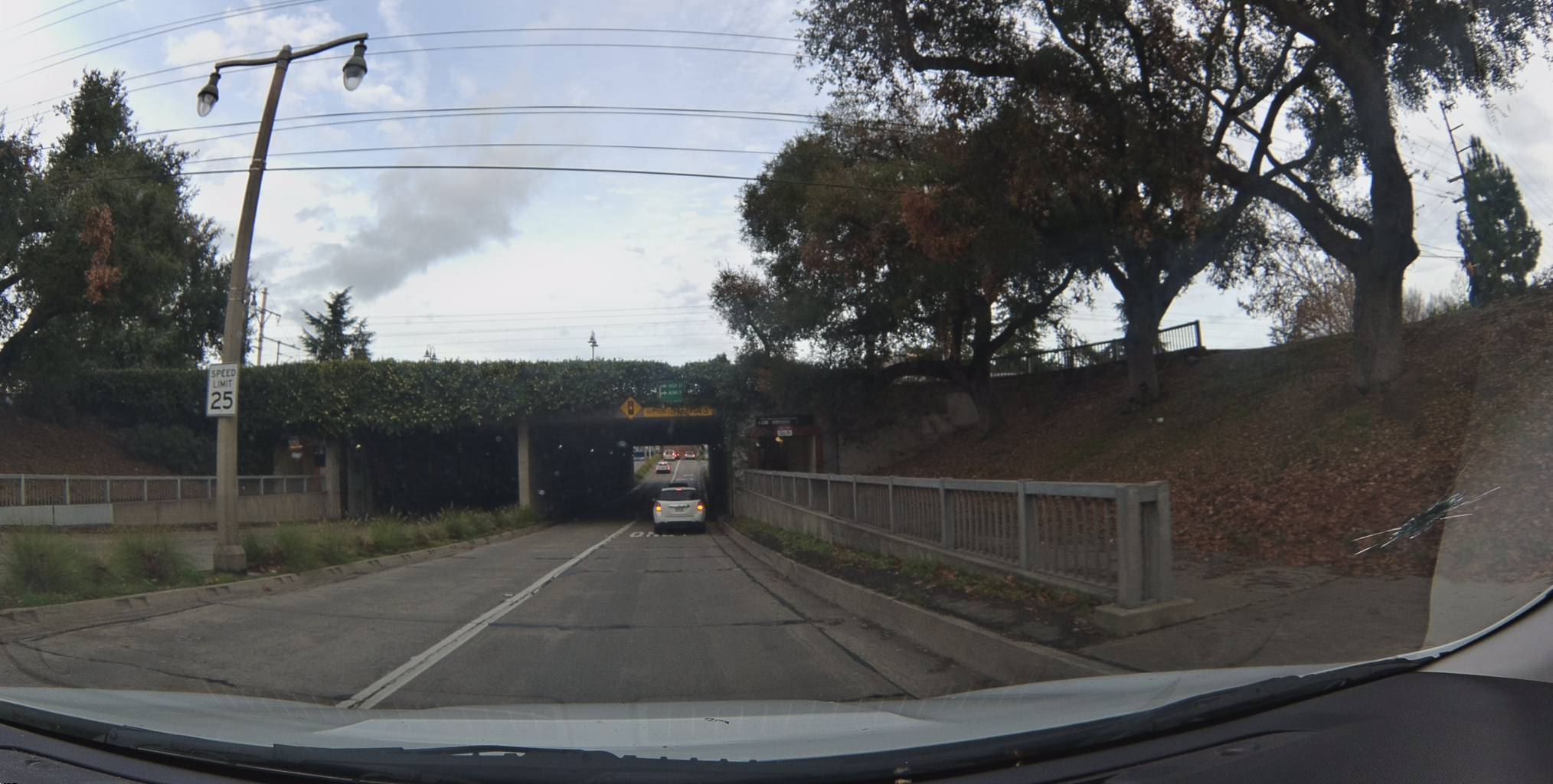
  }'
View metadata
Try this API query
curl -X POST "https://beemaps.com/api/developer/map-data?apiKey=<your-api-key>" \
  -H "Content-Type: application/json" \
  -d '{
    "type": ["mapFeatures"],
    "geometry": {
      "type": "Polygon",
      "coordinates": [[
        [-122.1657, 37.4418],
        [-122.1637, 37.4418],
        [-122.1637, 37.4438],
        [-122.1657, 37.4438],
        [-122.1657, 37.4418]
      ]]
    }
}'Roads Have Rules — Now They're Indexed
Traditional maps tell you that roads exist. This map tells you what's on those roads — and that distinction has real consequences.
A driver gets flagged for speeding. What was the posted limit at that exact location? A navigation app routes someone into a left turn. Was there a no-left-turn sign? A city repaves a street and adds new signage. How long until the map reflects it? These are the questions that map feature data answers. Speed limits, turn restrictions, and stop signs aren't just cartographic detail — they're the rules of the road, and until now, no map kept them reliably current.
A Map That Drives Itself Current
These features are continuously refreshed. As Bees drive, the map updates. A new stop sign goes up, a speed limit changes, a turn restriction gets added — the network catches it on the next pass.
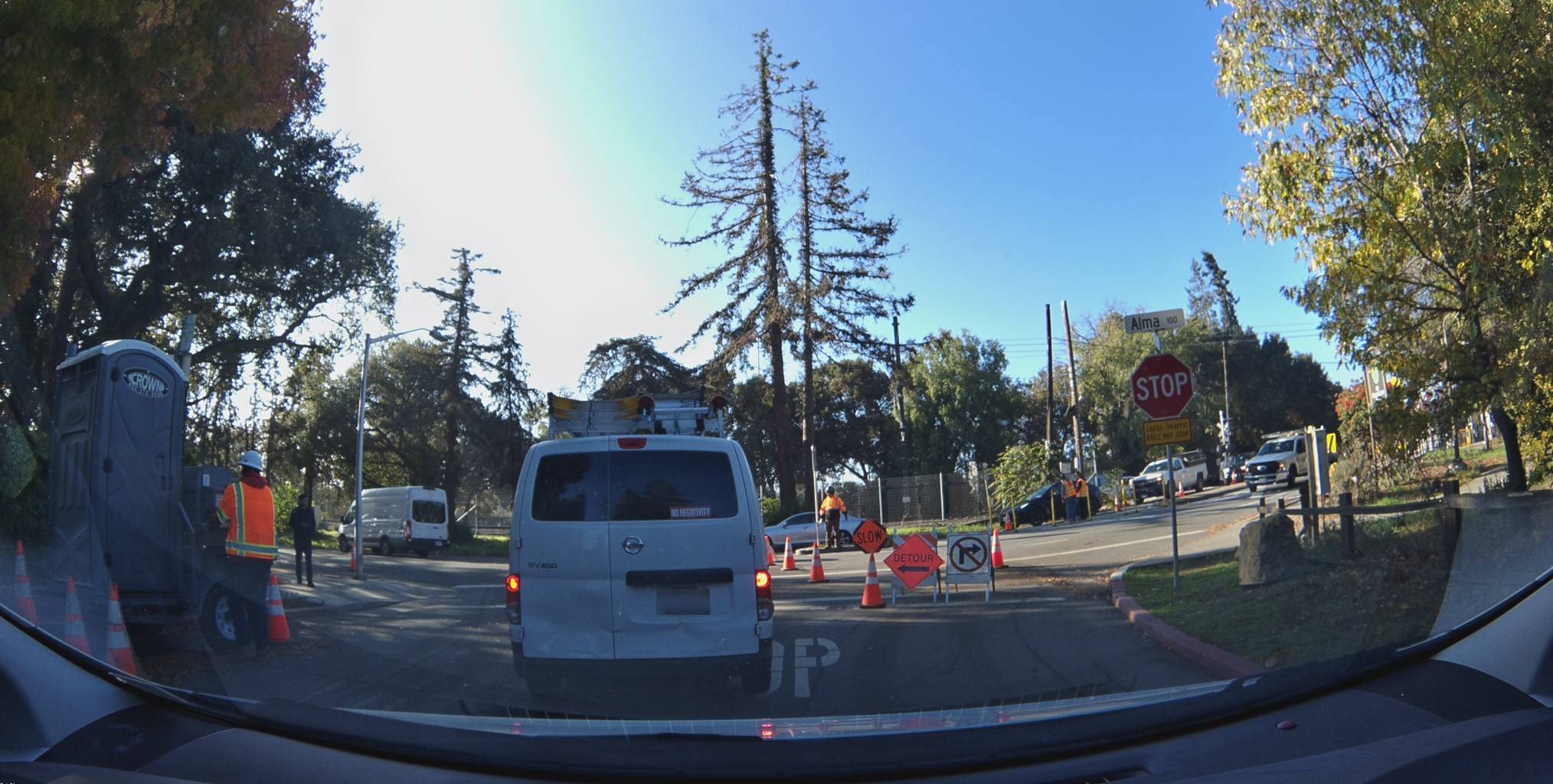
Each feature carries firstSeen and lastSeen timestamps, so you know exactly when the network first detected it and when it last confirmed it's still there. The 25 mph sign on Alma Street has been verified across 17 months. The construction zone stop sign was captured in November 2025. Map features aren't a snapshot. They're a stream.
Pull Every Sign with One API Call
Everything you see on the map is available through the Bee Maps API. Draw a polygon, specify mapFeatures as the data type, and get back every detected sign, signal, and hydrant inside that area — complete with coordinates, confidence scores, classification, and presigned image URLs.
curl -X POST "https://beemaps.com/api/developer/map-data?apiKey=YOUR_KEY" \
  -H "Content-Type: application/json" \
  -d '{
    "type": ["mapFeatures"],
    "geometry": {
      "type": "Polygon",
      "coordinates": [[
        [-122.175, 37.420],
        [-122.155, 37.420],
        [-122.155, 37.435],
        [-122.175, 37.435],
        [-122.175, 37.420]
      ]]
    }
  }'
The response includes every feature with its class (speed-sign, stop-sign, turn-restriction-sign, fire-hydrant, parking-restriction), confidence score, GPS position, observation timestamps, and a link to the dashcam keyframe that captured it.
Now you can see what it's found.
FAQs
Does the Bee network map features outside the US? Yes. Bees are actively mapping in Europe, the UK, and other regions. Map feature data from these areas isn't yet visible on the Map Features layer — we're rolling out international coverage soon.
What types of map features does the Bee detect? Road signs, traffic signals, street furniture, and other physical objects relevant to navigation and road safety. The list of supported feature types is growing as our detection models improve.
Do I need an account to view map features? No. You can browse Map Features in Bee Maps without an account. An API key is required to query features programmatically — try it in the API Playground.
Follow us on X, Buy a Bee, or Try Bee Maps for Free.