
Every drive, the Bee captures thousands of frames — detecting signs, lane markings, road damage, and vehicles in real time. It stores up to 10 hours of footage on 64 GB of onboard flash. That part just works.
The challenge is what happens next: getting all of that data off a device bolted to a windshield and into the servers that can do something with it. This is the upload problem, and it's the kind of thing that seems trivial until you have a hundred devices in the field and a driver who hasn't opened the app in two weeks.
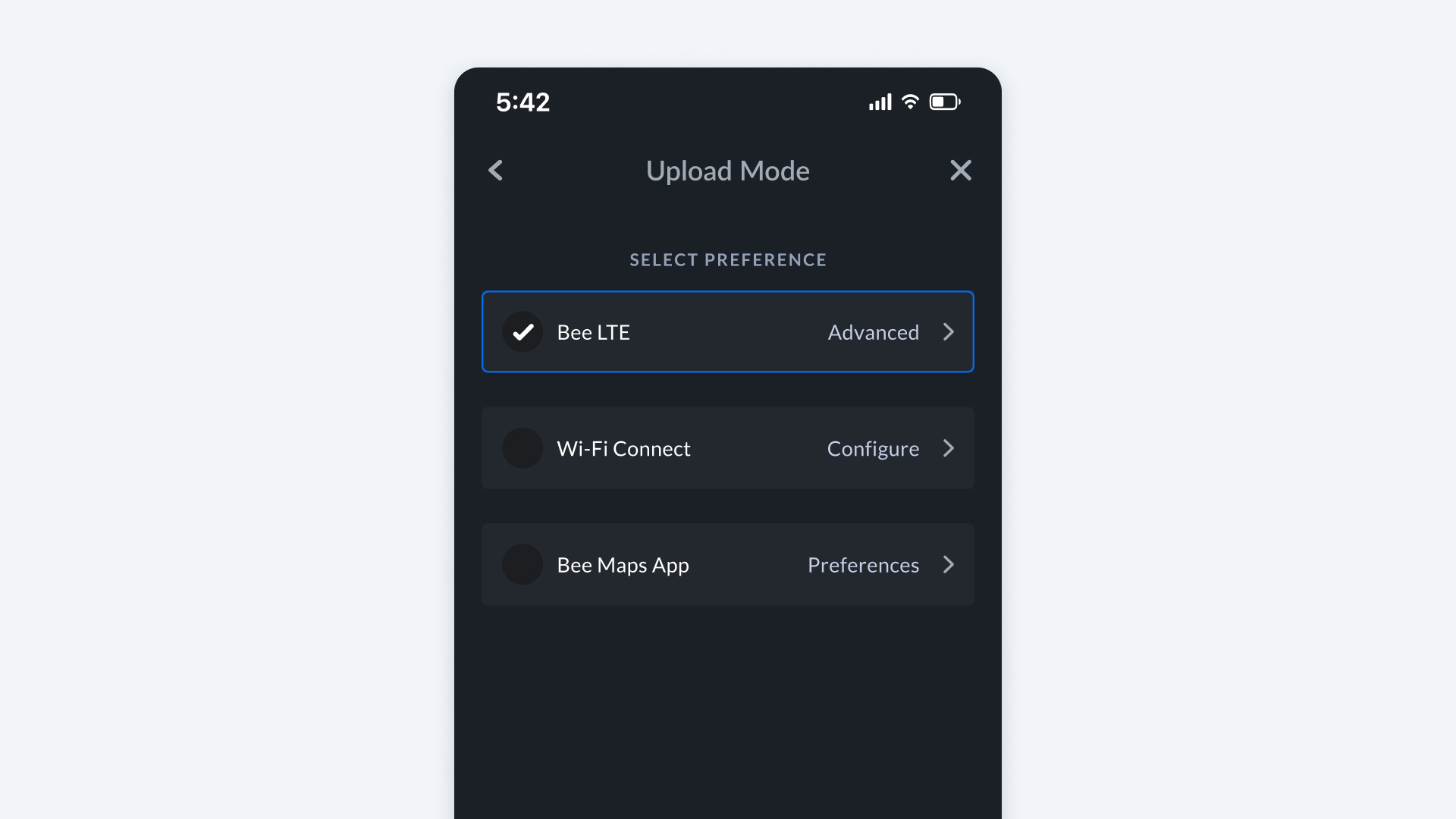
The Bee gives you three ways to solve it: Bee LTE, WiFi Connect, and the Bee Maps App. They represent genuinely different philosophies about how much you want to be involved, and the right choice depends on how honest you are about your own behavior.
The Three Modes at a Glance
| Bee LTE | WiFi Connect | Bee Maps App | |
|---|---|---|---|
| Will Bee map while disconnected? | Yes | Yes | Yes |
| Passive? | 100% hands-off | 100% hands-off | No — requires your phone at times |
| Uploads while driving? | Yes | Yes, with in-car WiFi or phone hotspot | Your choice |
| Requires SIM card and Data Plan? | Yes | No | No |
| Requires WiFi network? | No | Yes | Optional |
| Uses your phone's data? | No | No | Optional |
| Best for | Fleets, set-and-forget | Drivers with in-vehicle WiFi or phone hotspots | Casual mappers |
One thing to notice: the Bee maps regardless of which mode you pick. It's always recording. The only question is how the data gets from the device to the servers. That distinction matters more than you'd think.
Bee LTE
The best upload mode is the one you never think about. That's LTE.
With Bee Membership ($19/month), the device arrives with the SIM pre-installed, pre-activated, and already connected to your fleet. You mount it and drive. Helium Mobile provides the data plan, and the monthly price covers everything: device, connectivity, and platform access. Available in the US and Puerto Rico. There is nothing to configure and nothing to remember.
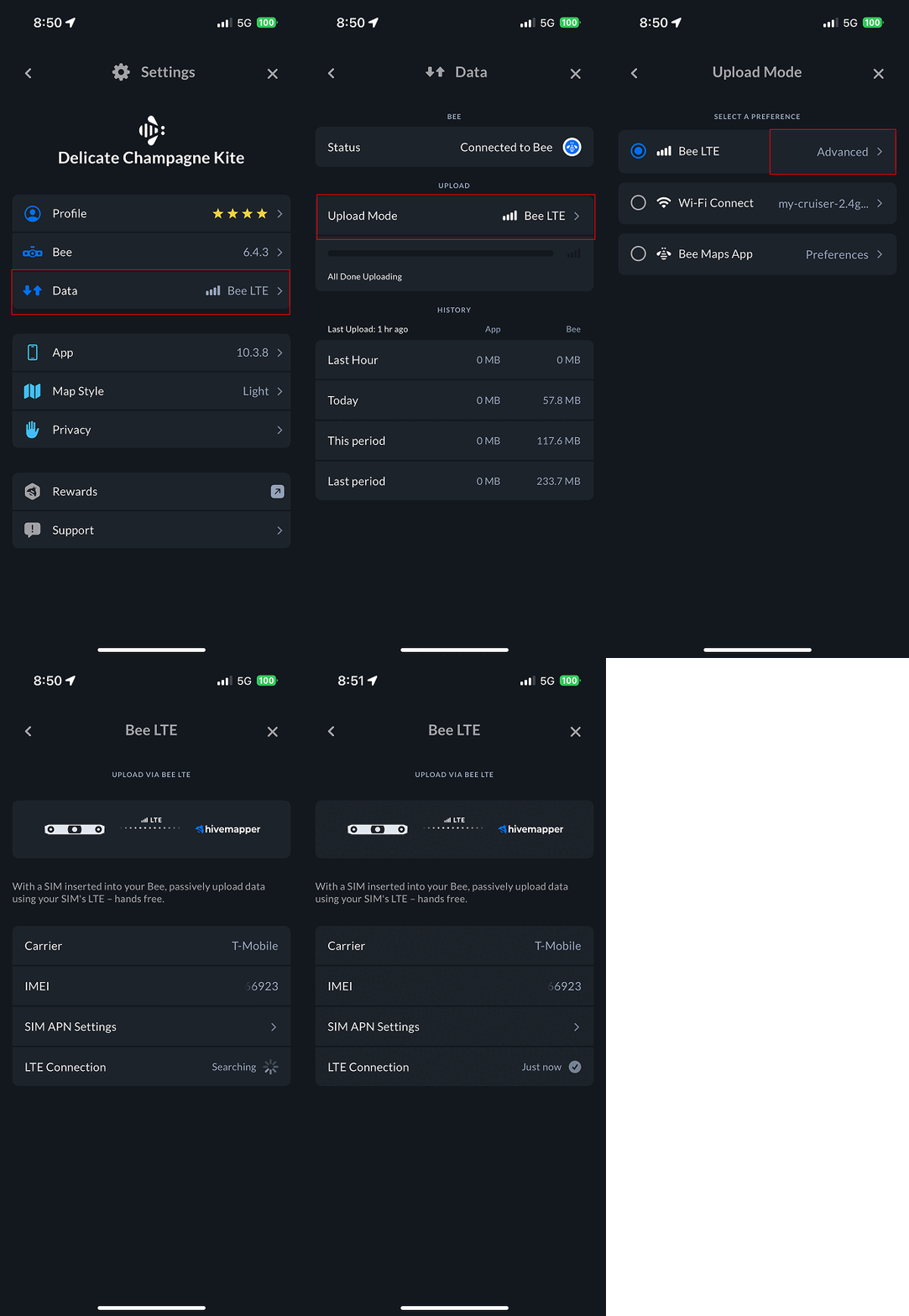
If you already own a Bee LTE device, you can also bring your own SIM — insert any carrier's Nano SIM (no eSIM support), configure the APN, and you're live. This works with most major carriers worldwide: T-Mobile, AT&T, Verizon, Rogers, Vodafone, O2, Telstra, and many others. You pay your carrier directly.
Either way, data flows from the device straight to the servers — no phone in the loop, no WiFi dependency, no human involvement at all. The right LED turns blue, and from that point forward, the device handles everything. This is the right default for anyone running a fleet. Any system that depends on humans remembering to do something will eventually fail. LTE removes the human from the equation entirely.
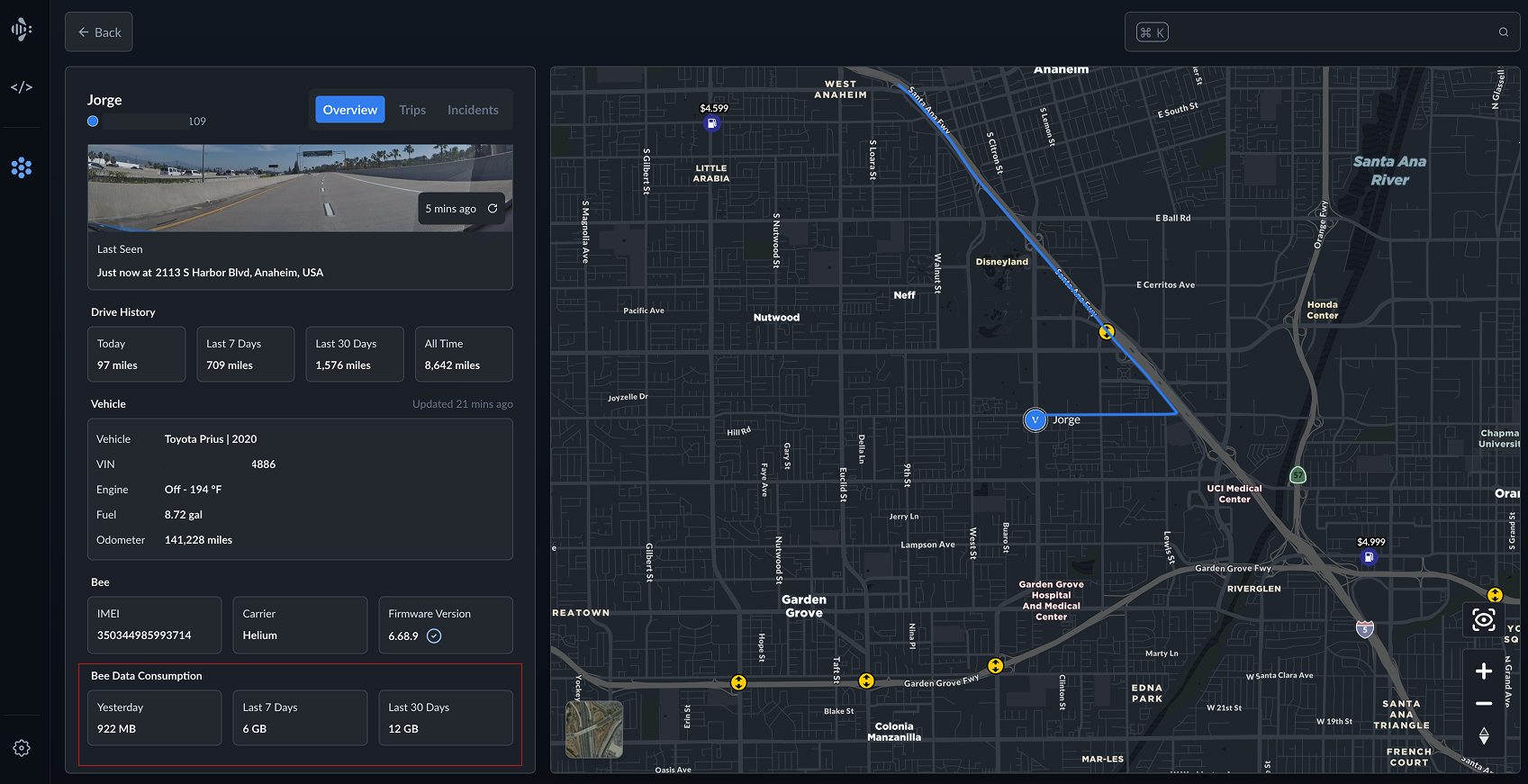
Data usage runs roughly 0.5 to 10 MB per kilometer. A dense urban block full of signs costs more than an empty highway. That's not a bug — it means the system is doing its job.
If you're running a fleet, you can monitor exactly how much data each device is consuming on the driver profile in your Bee fleet dashboard — broken down by yesterday, last 7 days, and last 30 days. No guessing, no surprises on your carrier bill.
| Pros | Cons |
|---|---|
| Truly passive — no phone, no WiFi, no interaction | Requires an active SIM card and data plan |
| Real-time uploads while driving | BYO SIM requires APN configuration, which can be fiddly |
| Fleet-ready — Membership devices arrive configured | Ongoing data costs (Membership or your own carrier) |
| Works anywhere you have LTE coverage | Coverage depends on your carrier's footprint |
| 64 GB onboard storage buffers data during connectivity gaps |
With Bee Membership, just deploy the device and you're ready to go — the SIM, the data plan, and the fleet connection are all handled before it arrives. Mount it and forget it. Setup instructions →
WiFi Connect
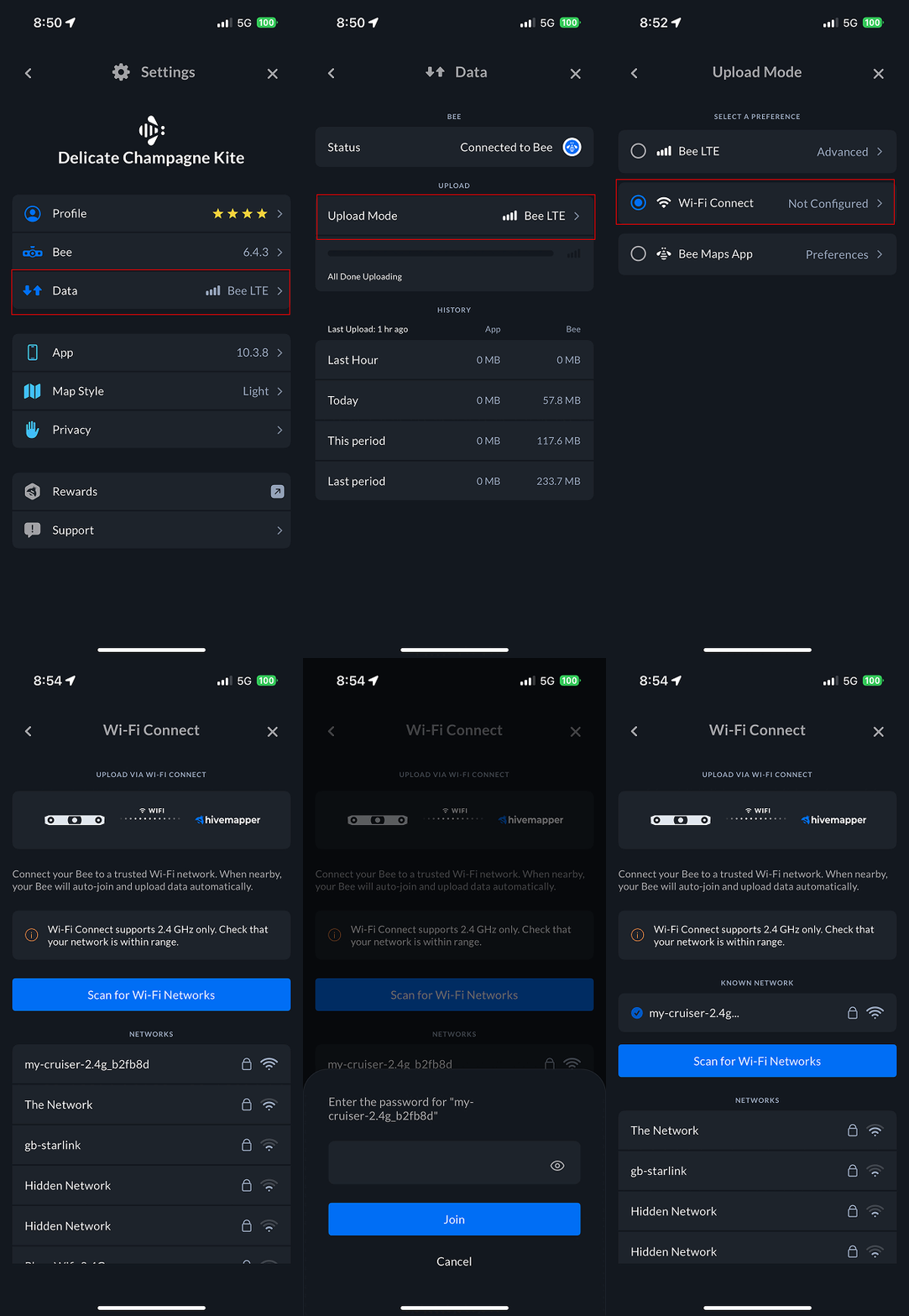
Here's the one most people overlook: you can point the Bee at a WiFi network — your phone's hotspot, your car's built-in WiFi, your home router — and it will upload silently whenever it's in range. No app, no SIM, no interaction.
The clever part is that this turns any existing WiFi into a passive upload channel. If you already tether your phone in the car, or if your vehicle has its own hotspot, the Bee will use it without you lifting a finger. You set it up once and it just works. One driver we talked to connects to their phone hotspot every morning and uploads the previous day's footage on the commute — about 1.5 GB before they hit the office.
It also doubles as a depot mode. Park in your driveway every night, and the Bee uploads while you sleep. The constraint is that you can only save one WiFi network per device, so you have to pick: home, office, or phone hotspot. You can't have all three.
| Pros | Cons |
|---|---|
| 100% passive after initial setup | Only one saved WiFi network per device |
| No cellular data costs — uses your existing WiFi | Must be within range of the saved network to upload |
| No SIM card required | If using depot WiFi only, there's a delay until you park |
| Free — costs nothing beyond your existing internet or hotspot | Bee must be powered when in WiFi range to upload |
This mode is underrated. If you already have a phone hotspot running in the car, WiFi Connect gives you something close to LTE's passivity without the SIM card or the data plan. Setup instructions →
Bee Maps App
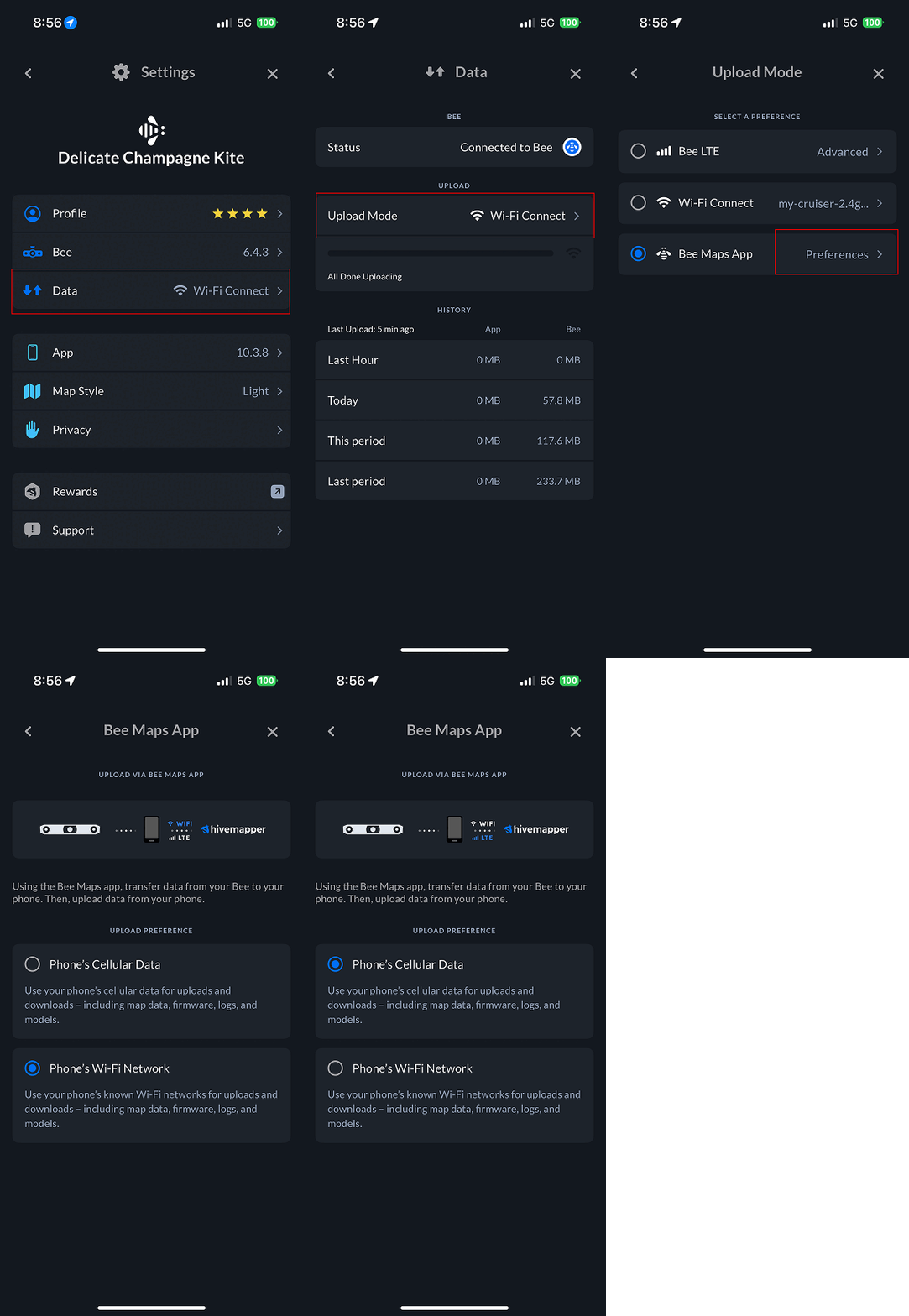
The App mode is the manual option. Your phone connects to the Bee, downloads the data, then uploads it to the servers. Two hops instead of one. You can watch both stages in the app — a blue progress bar for the download from the Bee, turquoise for the upload to the servers.
This is the most flexible mode. You can upload over cellular or wait for WiFi. You control the timing completely. The problem, of course, is that "you control the timing" really means "you have to remember to do it." And in practice, people don't.
To be fair — if you're the kind of person who actually remembers to plug in your phone, back up your photos, and floss every night, the App mode will work fine. But most people aren't that person, and it's worth being honest about it. A typical pattern: someone uploads religiously for two weeks, then life gets busy, and suddenly there's a month of footage sitting on the device.
| Pros | Cons |
|---|---|
| No SIM card needed in the Bee | Not passive — your phone must be connected and app active |
| Full control over when and how data uploads | Two-stage transfer means slower end-to-end uploads |
| Can use either your phone's cellular or WiFi | Uses your phone's battery and data plan (if cellular selected) |
| Visual progress indicators for both transfer stages | You have to remember to do it |
For casual mappers who upload once or twice a week, this is fine. Just know what you're signing up for. Setup instructions →
How to Decide
The pattern here is really about automation versus control, and most people overvalue control.
If you manage a fleet, use LTE. Bee Membership bundles the device, data plan, and platform access for $19/month. The devices arrive ready. Drivers don't have to do anything. This is the only mode where you can genuinely stop thinking about uploads.
If you already have WiFi in the car — a phone hotspot, a mobile router, whatever — WiFi Connect is surprisingly good. You get passive uploads without a SIM or a data plan. It's the closest thing to LTE's set-and-forget experience without the monthly connectivity cost.
If you want to control everything, the App mode is there. Upload when you want, how you want. But be honest about whether "when you want" will actually happen consistently.
If you're not sure, start with WiFi Connect. It's free, it's passive, and you can switch to LTE anytime if you want real-time uploads. All three modes are configured in the Bee Maps App under Settings > Data > Upload Mode.
One thing worth knowing regardless of which mode you choose: nothing is ever lost. The Bee stores up to 10 hours of footage on 64 GB of onboard flash and continues recording even when it has no connectivity. Drive through a dead zone, park in a basement, forget to sync for a week — the data is still there. The moment the Bee reconnects (LTE signal, WiFi network, or phone), it picks up where it left off and uploads everything automatically.
The Bee is always recording. The only variable is whether the data makes it out — and that's entirely up to you.
Follow us on X | Try Bee Maps for Free | Buy a Bee