
We just shipped five features that change what you can do with the Bee Maps map. You can click any road and see dashcam imagery. You can watch your fleet's cameras live. You can see every speed limit sign and stop sign that AI has detected. You can request fresh coverage of any location with one click. And the chat assistant now tells you when things happen on the map in real time.
Individually, these are useful. Together, they turn the map from something you look at into something you look through.
You can now see every road
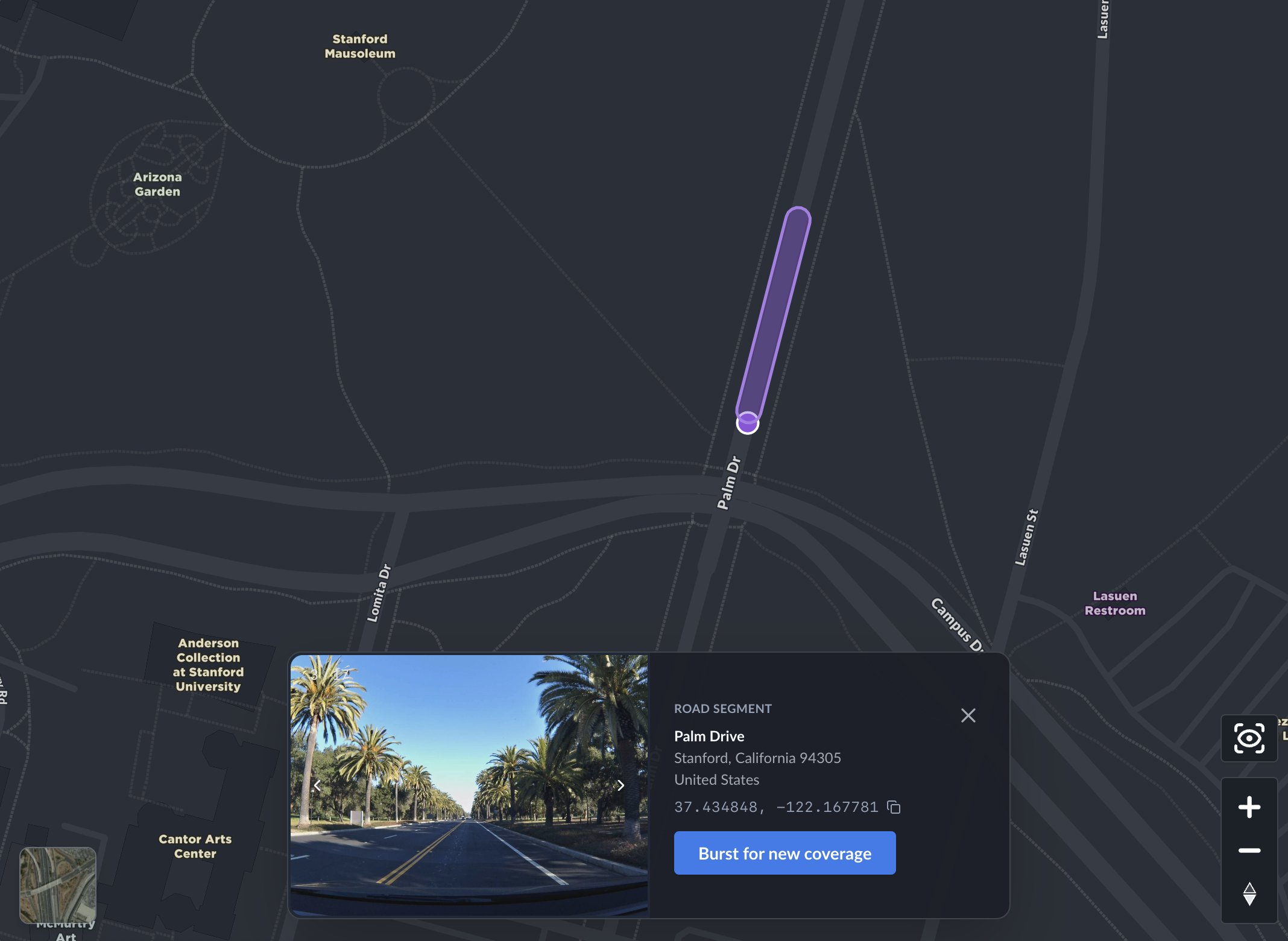
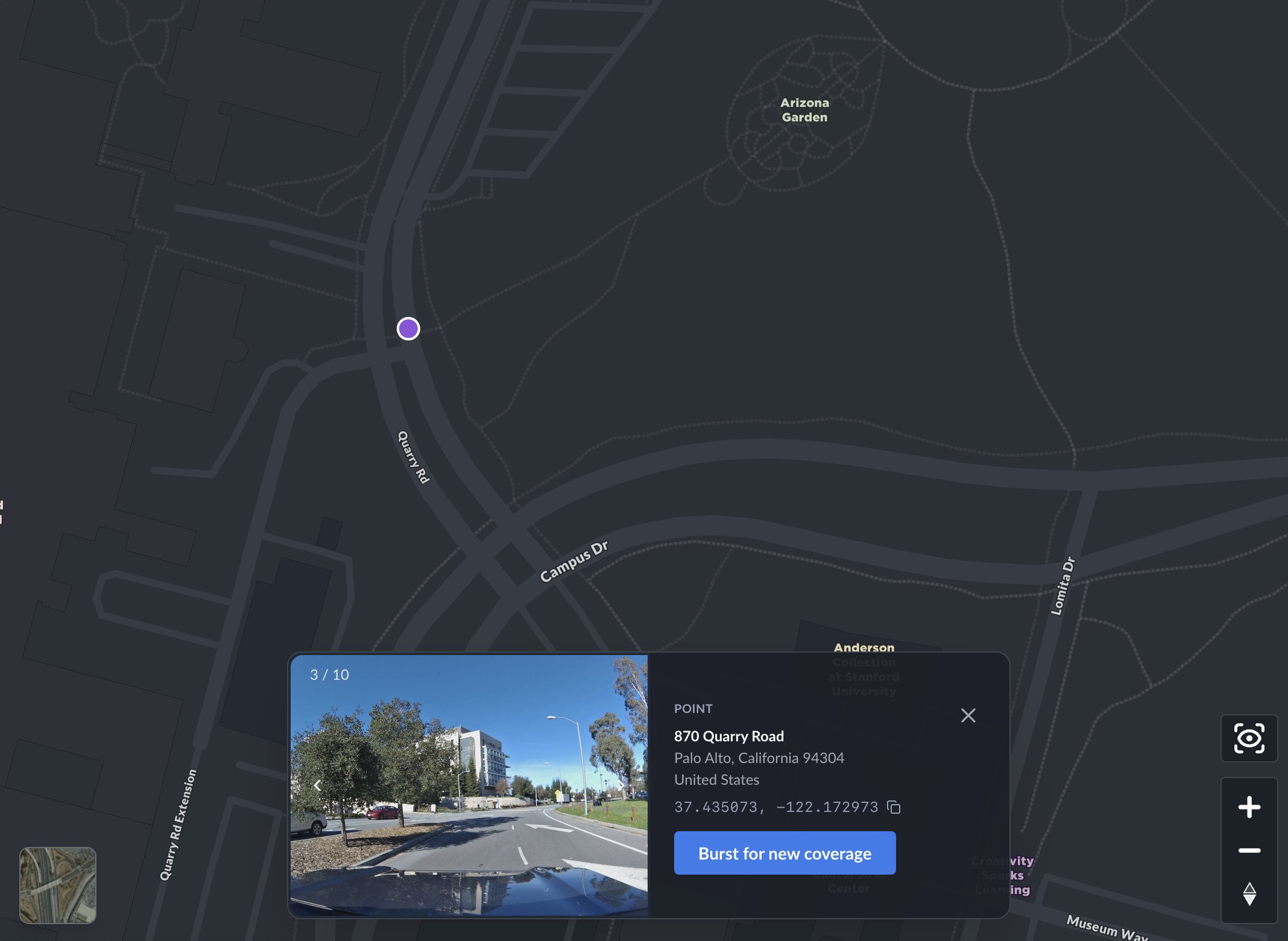
Click any road on the map and you'll see fresh dashcam imagery — full address, GPS coordinates, and every photo at that location.
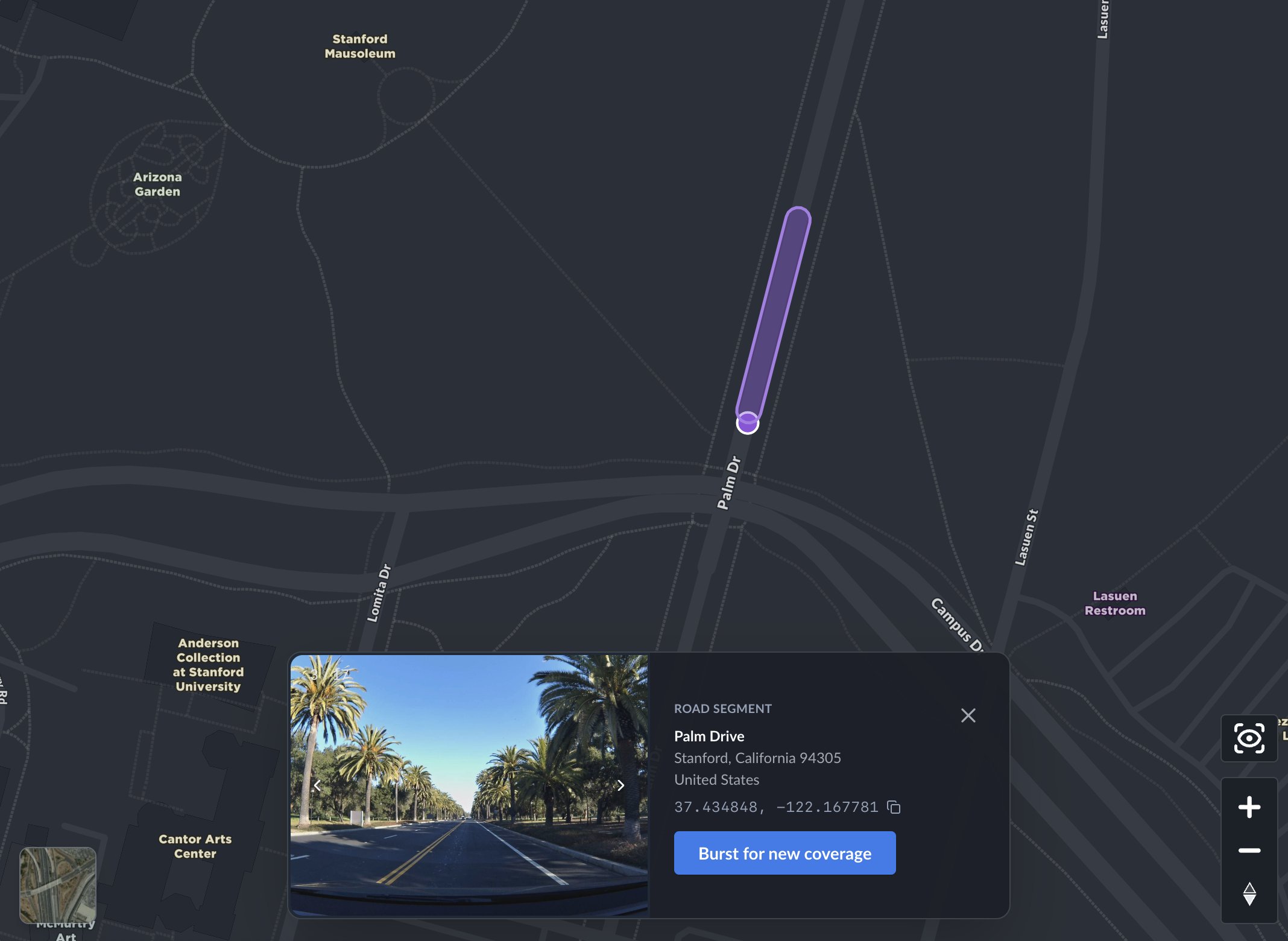
This is one of those features that sounds incremental but changes how you use the product. You stop thinking of the map as an abstraction and start thinking of it as a thing that knows what's actually at 870 Quarry Road in Palo Alto, or what Palm Drive looks like near the Stanford Mausoleum — because it can show you.
Every location card has a "Burst for new coverage" button. Click it and the system creates a burst at that exact location, notifies nearby drivers in the network, and confirms it right there in the card — "Burst created," "Drivers notified." The whole thing takes about two seconds. You don't leave the map. You don't fill out a form. You just click a button on a road in New Zealand and the network starts working on it.
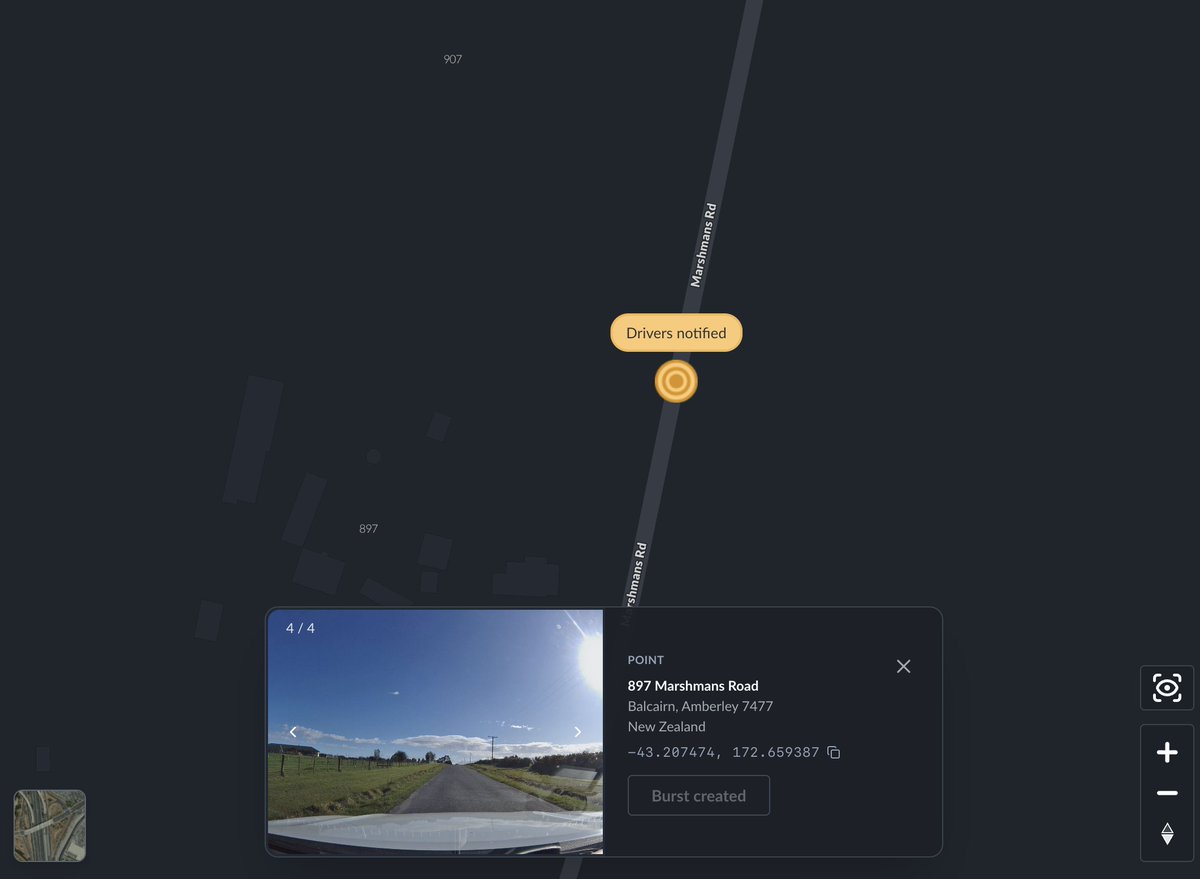
The loop from "I want to see this place" to "the network is collecting new imagery there" is now a single interaction. I think this is a pretty big deal. It turns passive map browsing into active data collection, and it means the map gets better every time someone uses it.
Burst locations are now visible on the map
This one is simple but important. Burst locations — the places where fresh coverage has been requested — now show up as a toggleable layer on the map. Road segments light up. Points glow.
If you're running a fleet, you can immediately see where your routes overlap with active burst requests. If you're an API customer, you can visually confirm that your programmatic bursts are positioned correctly. And if you're just exploring the map, you can see where the network is focusing its energy.
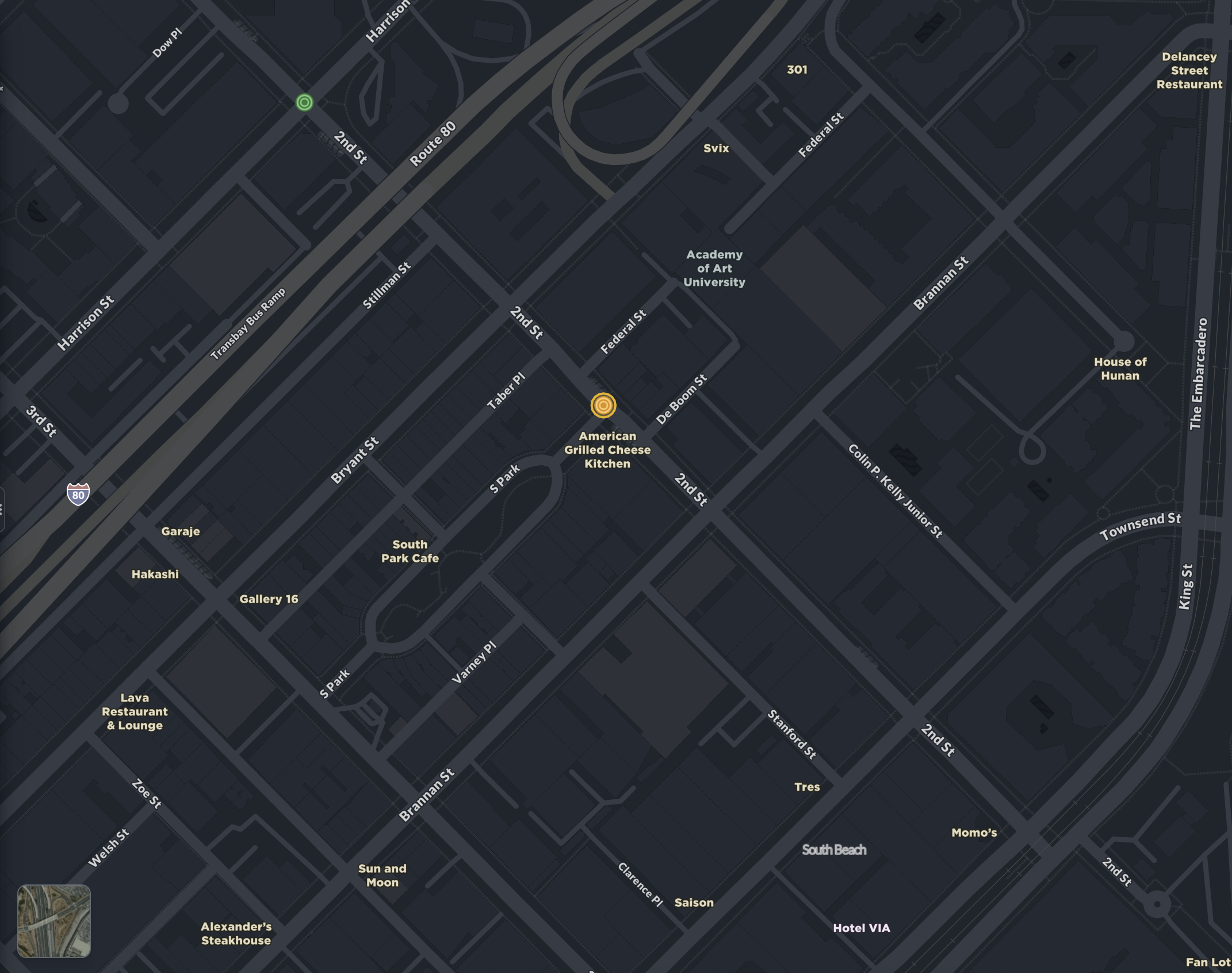
When a burst gets collected by a driver in the network, it updates on the map in real time. You can see exactly when it was hit.
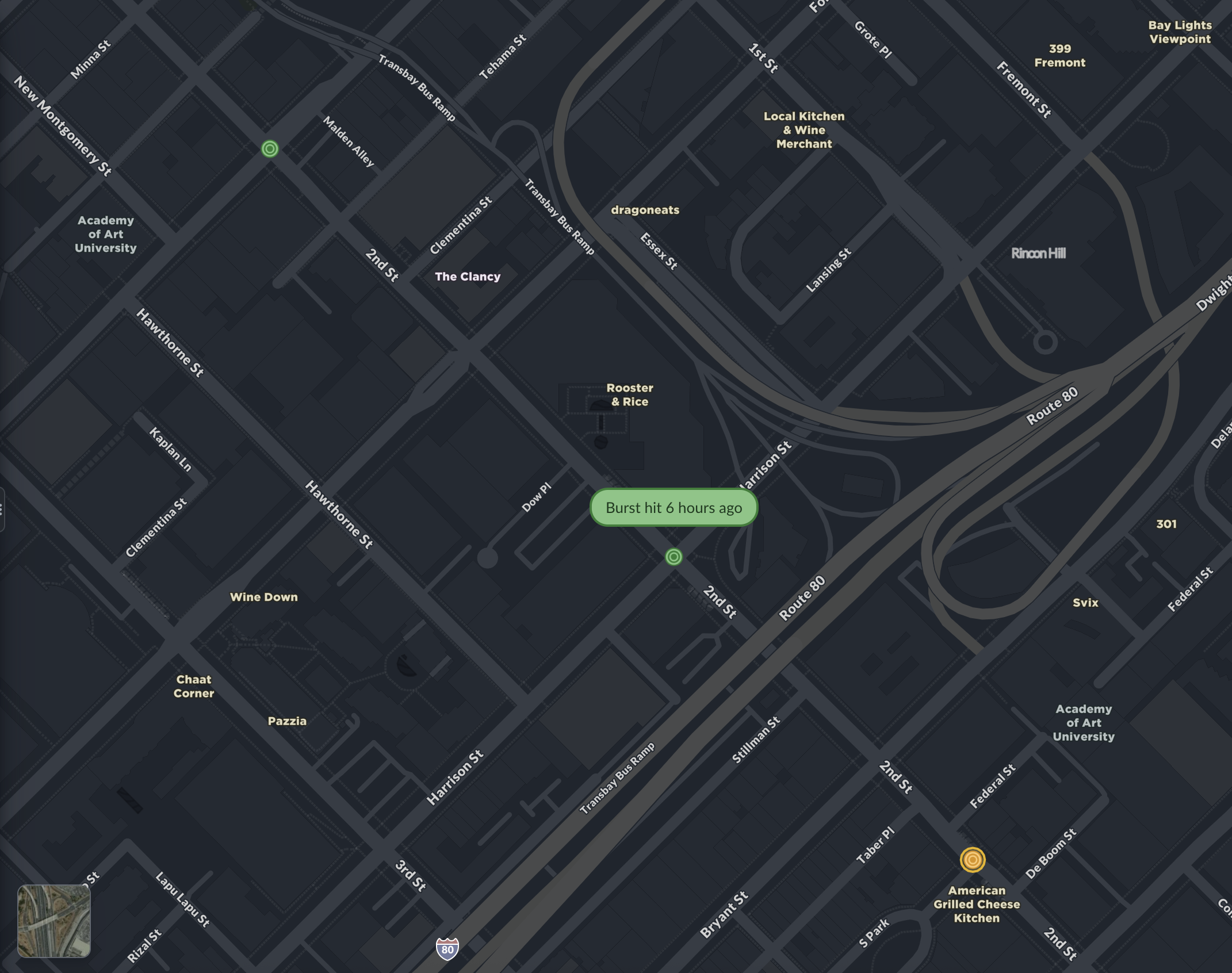
We debated whether to ship this as a default-on layer or an opt-in setting. We went with opt-in. Clean map by default, coverage intelligence when you want it.
Fleet live view
This is the feature I'm most excited about.
If you manage a fleet of Bee devices, you can now see what your drivers see — live, on the map. Each vehicle shows its latest dashcam frame, current speed, how recently the image was captured, and the driver's name. Their route traces behind them as a blue line.
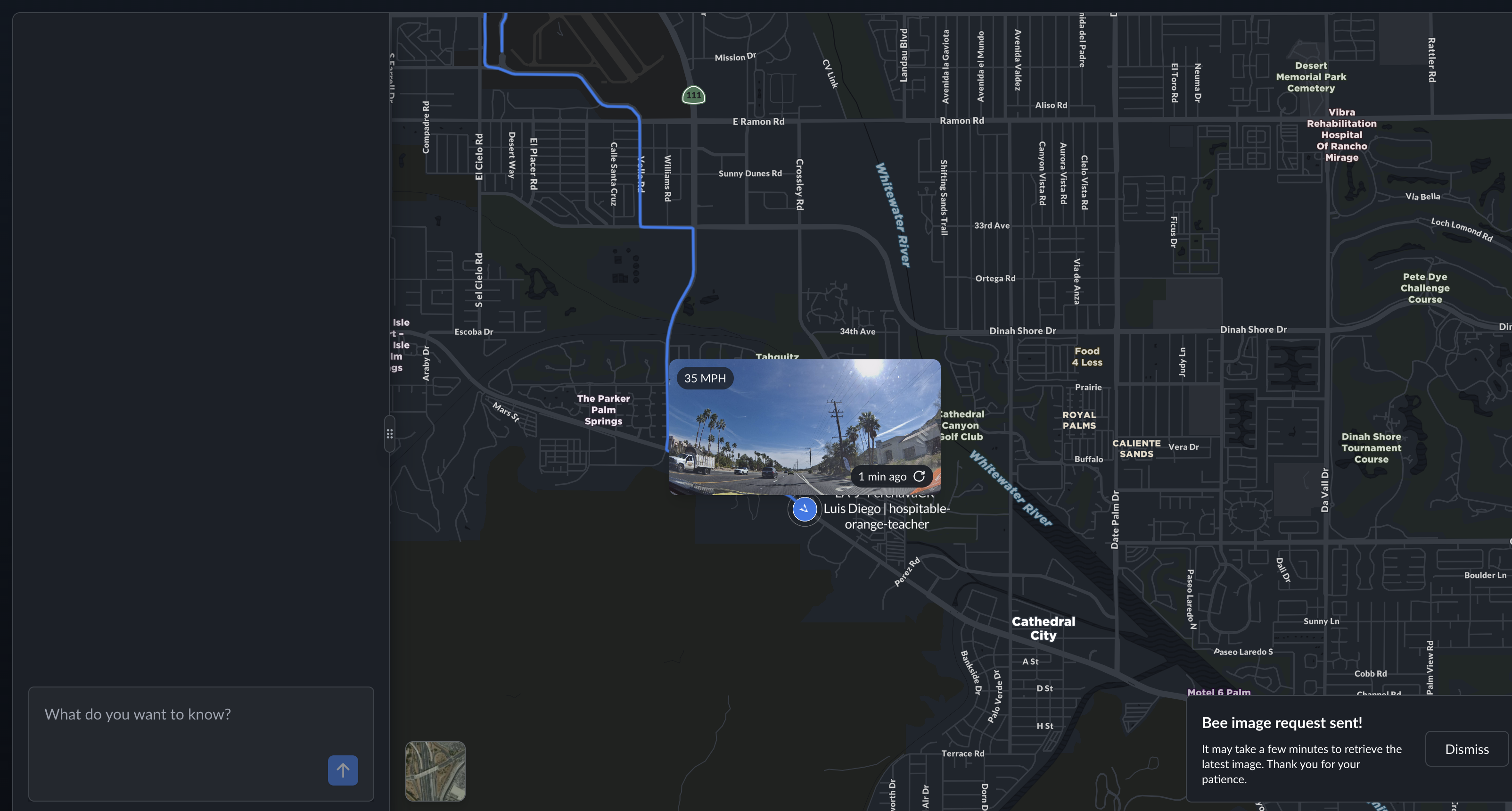
I know that sounds like a feature list. But the experience of looking at a map and seeing a live photo of a road in Cathedral City, taken one minute ago by a driver named Luis Diego going 35 miles per hour — that's something different. It's real-time situational awareness without a separate tool, without a phone call, without waiting for someone to come back to the yard.
You can also request a fresh image from any device on demand. The device receives the instruction, captures a frame, and sends it back. A notification in the chat confirms it: "Bee image request sent."
Fleet live view is completely private to your organization. No one else can see your vehicles, your drivers, or your images. This was non-negotiable for us.
Map features explorer
The Bee doesn't just take pictures. It reads them.
Our Map AI pipeline runs computer vision on dashcam imagery to detect road features: speed limit signs, stop signs, turn restrictions, crosswalks, traffic lights, lane markings. These detections now show up directly on the map as a toggleable layer, with confidence scores, GPS coordinates, observation counts, and timestamps.
Here's what that looks like around Stanford — every icon is an AI-detected road feature:
Metadata
Try this API query
The key insight here is that this isn't a one-time scan. Every time a Bee device drives through an area, it adds observations. Confidence scores go up. New features get detected. Removed signs eventually drop off. The map stays current because the data collection never stops.
I think there's a version of this — maybe not too far from now — where the map features layer becomes one of the most accurate representations of road infrastructure that exists. Not because we surveyed every road once with expensive equipment, but because thousands of everyday drivers are continuously observing the world and our AI is continuously interpreting what they see.
Chat notifications
The AI chat assistant at the bottom of the map now surfaces real-time notifications for map events. Burst requests, image captures, AI-detected incidents on your fleet — they show up in the chat as they happen.
This is early, and it's going to get much better. But the direction is clear: instead of navigating dashboards and menus, you'll have a conversation with the map. Ask it what's happening, and it tells you.
Why this matters
I keep coming back to the same idea: the gap between the digital map and the physical world is closing.
A year ago, the Bee Maps map showed you road outlines and coordinates. Today it shows you what Palm Drive actually looks like. It shows you what your driver is seeing right now. It shows you every speed limit sign and stop sign that AI has detected, with confidence scores that improve every day.
And behind all of this is video. Every Bee device is continuously capturing high-quality dashcam footage — not just for fleet managers reviewing incidents or monitoring drivers, but as training data for physical AI. The same video that lets a fleet operator see what happened at an intersection five minutes ago is also feeding computer vision models that detect road features, identify safety events, and build an increasingly detailed understanding of the physical world. Fleet managers get operational tools. AI researchers get diverse, geotagged, real-world video at scale. Both come from the same source: drivers going about their day with a Bee on the windshield.
This is the thing I keep coming back to. The map isn't a representation of the world anymore — it's becoming a live, queryable record of it, built from millions of kilometers of video captured by everyday drivers, interpreted by AI that gets better with every frame.
There's a lot more coming.
Try these features at beemaps.com. Follow us on X.