
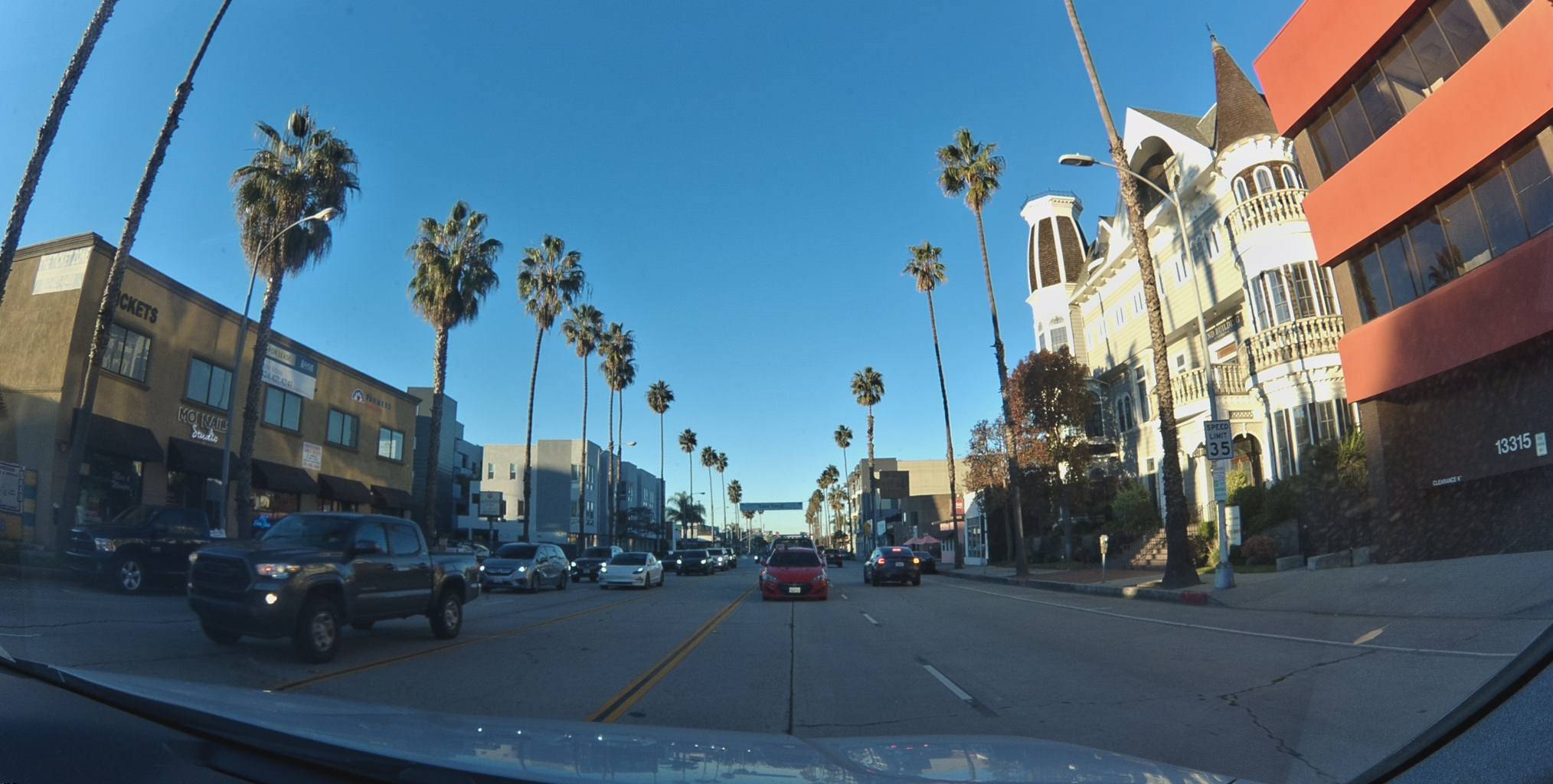
Most mapping companies send dedicated camera cars down every street once every few years. Bee Maps takes a different approach: thousands of fleet dashcams mapping every road they drive, every day, automatically.
A delivery driver in the San Francisco Bay Area pulls out of a depot on a Wednesday afternoon. There is no app to open, no record button to press, no special route to follow. The Bee dashcam mounted behind the windshield powered on with the ignition and is already streaming 30 fps video to its onboard AI. By the time the driver reaches the first intersection, the camera has captured dozens of keyframes, detected two speed-limit signs, and logged a swerving event triggered by a lane change — all before the driver even thinks about the dashcam.
That single, uneventful drive just produced three distinct layers of map data. Multiply it across an entire fleet, seven days a week, and you start to see how Bee Maps blankets a metro area faster than any camera car ever could.
Metadata
Try this API query
curl -X POST https://beemaps.com/api/developer/imagery/latest/poly \
  -H "Authorization: Basic <your-api-key>" \
  -H "Content-Type: application/json" \
  -d '{
    "polygon": [
      [-122.2003, 37.4332],
      [-122.1983, 37.4332],
      [-122.1983, 37.4352],
      [-122.2003, 37.4352],
      [-122.2003, 37.4332]
    ]
  }'
What the Bee Sees
Every drive produces three types of data simultaneously. Let's walk through each one using real examples from a single fleet.
Imagery
The Bee dashcam records 30 fps video and extracts privacy-blurred keyframes — the raw visual record of every street, intersection, and curb the vehicle passes. These frames are geotagged with sub-meter GNSS coordinates and uploaded automatically over LTE. No driver interaction, no manual tagging, no post-processing on a laptop. The camera does it all.
Map Features
While the camera captures imagery, the onboard AI is simultaneously scanning every frame for map-relevant objects: speed-limit signs, turn restrictions, traffic lights, fire hydrants, lane markings. Each detection is logged with a confidence score, a GPS position, and a bounding box on the source keyframe.
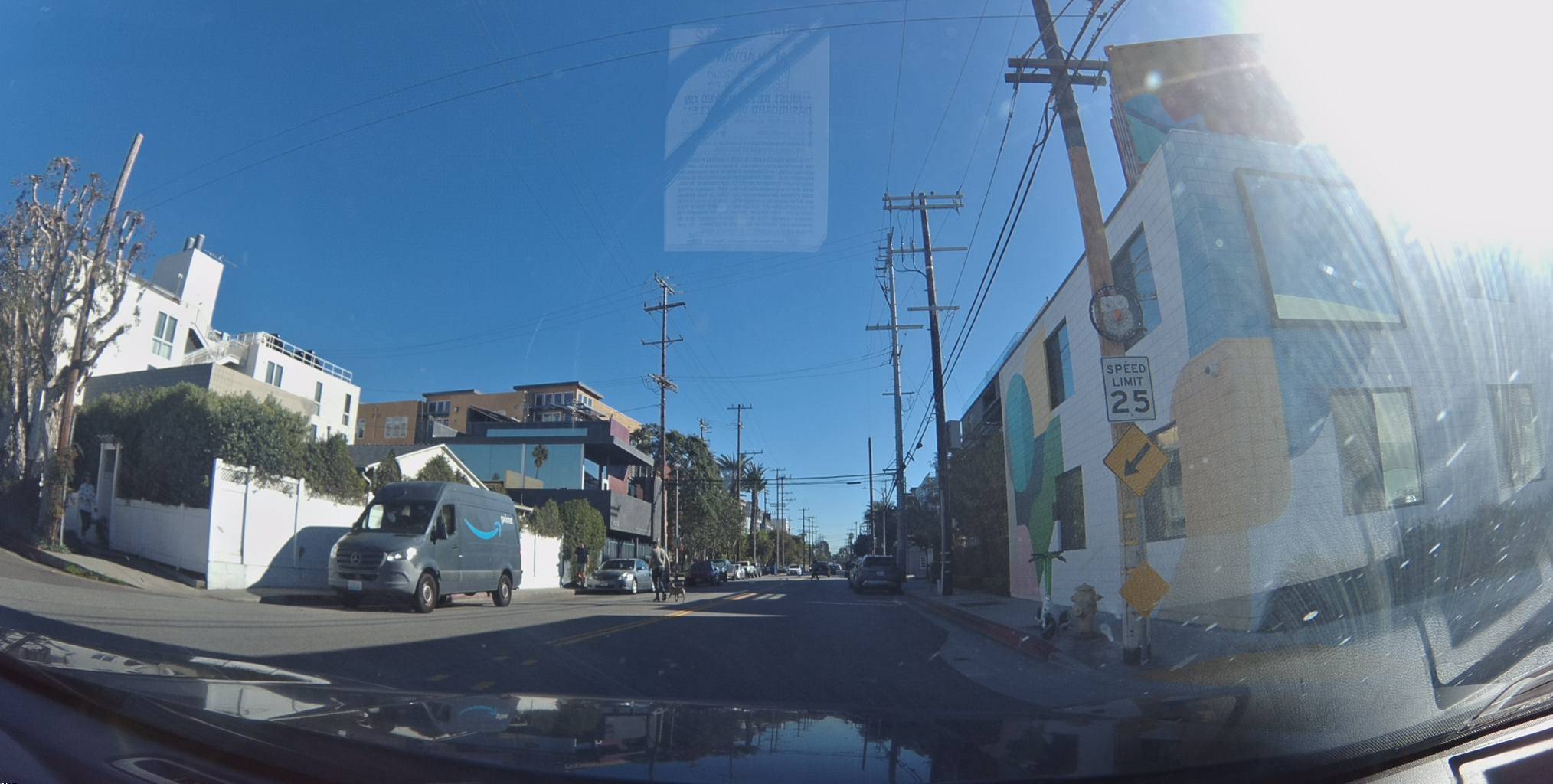
Here is a 25 mph speed-limit sign detected on a residential street in Venice, California — identified with 100% confidence:
View metadata
Try this API query
curl -X POST "https://beemaps.com/api/developer/map-data?apiKey=<your-api-key>" \
  -H "Content-Type: application/json" \
  -d '{
    "type": ["mapFeatures"],
    "geometry": {
      "type": "Polygon",
      "coordinates": [[
        [-118.4705, 33.9840],
        [-118.4685, 33.9840],
        [-118.4685, 33.9860],
        [-118.4705, 33.9860],
        [-118.4705, 33.9840]
      ]]
    }
  }'
Notice the firstSeen and lastSeen dates — this sign was first detected in January 2024 and last confirmed in May 2025. That gap matters, and we'll come back to it.
AI Safety Events
The third data layer is real-time safety intelligence. The Bee's edge AI monitors driving behavior and flags events like swerving, aggressive acceleration, harsh braking, speeding, and tailgating — each one captured with synchronized video, speed telemetry, and high-precision GNSS positioning.
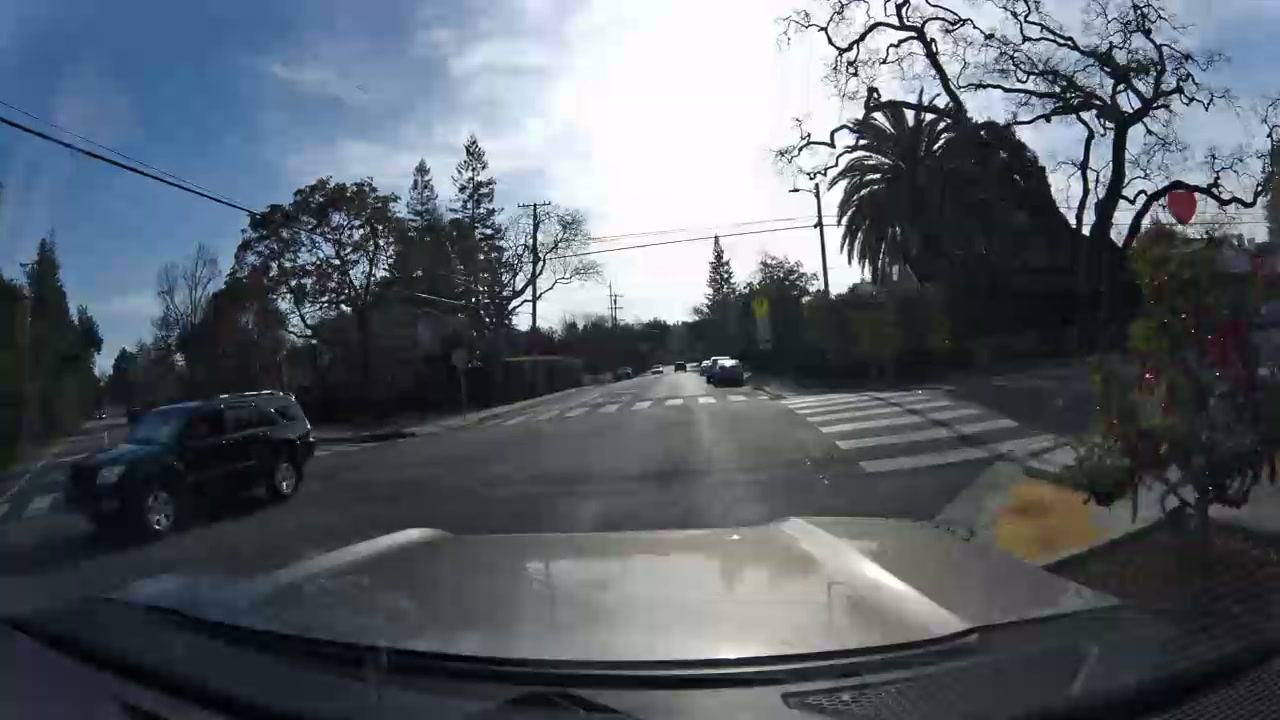
Here is a swerving event detected during a drive through Palo Alto. The AI flagged a sudden lateral movement at an intersection:

Metadata
| # | Latitude | Longitude | Altitude | Time |
|---|---|---|---|---|
| 1 | 37.435052 | -122.198419 | 2.2m | 10:50:18 PM |
| 2 | 37.434954 | -122.198497 | 2.0m | 10:50:22 PM |
| 3 | 37.434732 | -122.198677 | 2.1m | 10:50:25 PM |
| 4 | 37.434402 | -122.198953 | 1.9m | 10:50:29 PM |
| 5 | 37.434183 | -122.199234 | 1.6m | 10:50:33 PM |
| 6 | 37.434299 | -122.199463 | 1.2m | 10:50:37 PM |
| 7 | 37.434478 | -122.199797 | 1.2m | 10:50:41 PM |
| 8 | 37.434681 | -122.200182 | 1.1m | 10:50:45 PM |
Try this API query
curl https://beemaps.com/api/developer/aievents/697e8761a713b72f26cadbcc\
?includeGnssData=true\&includeImuData=true \
  -H "Authorization: Basic <your-api-key>"
Expand the metadata to see the full GNSS trace — latitude, longitude, altitude, and timestamp at one-second intervals. This is the kind of positioning data that powers autonomous driving datasets and world models, captured passively by a fleet dashcam.
Discovery Mode vs. Change Detection
The first time a Bee dashcam drives down a street, every feature it detects is new. This is Discovery Mode — the system is building the map from scratch, mapping every sign, signal, and lane marker it encounters.
But the real value emerges on the second, third, and fifteenth pass. Each subsequent drive becomes a Change Detection pass, confirming that existing features are still present or flagging differences. Did a speed limit change from 35 to 25? Was a new turn restriction installed? Did a traffic light get removed during construction? The system catches it automatically — no manual survey needed.
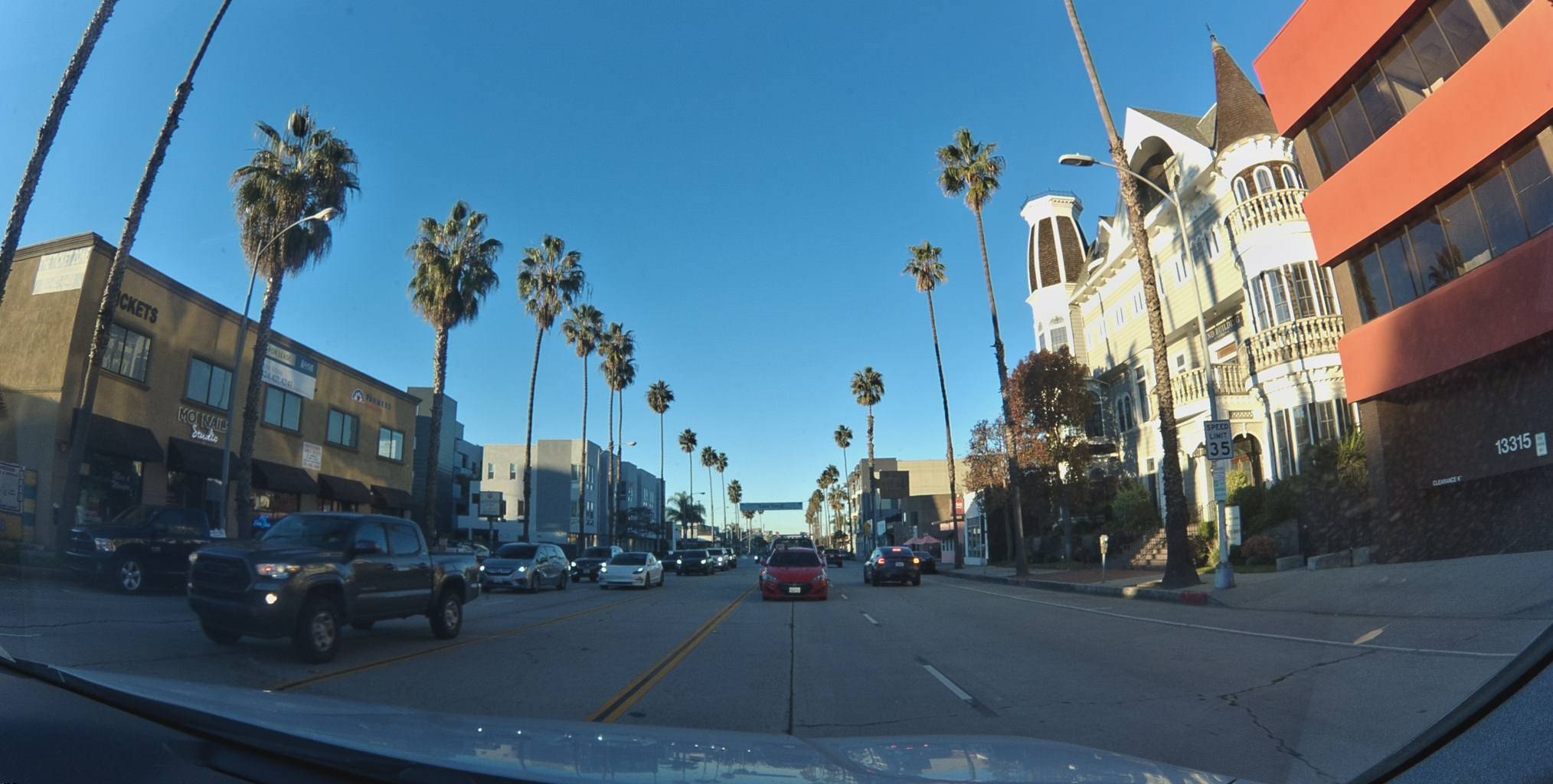
Consider this 35 mph speed-limit sign on a palm-lined boulevard in Los Angeles. It has been observed 15 times since November 2023, most recently in May 2025:
View metadata
Try this API query
curl -X POST "https://beemaps.com/api/developer/map-data?apiKey=<your-api-key>" \
  -H "Content-Type: application/json" \
  -d '{
    "type": ["mapFeatures"],
    "geometry": {
      "type": "Polygon",
      "coordinates": [[
        [-118.4493, 33.9953],
        [-118.4473, 33.9953],
        [-118.4473, 33.9973],
        [-118.4493, 33.9973],
        [-118.4493, 33.9953]
      ]]
    }
  }'
The firstSeen date of November 2023 and lastSeen of May 2025 means this feature has been continuously validated for over 18 months across 15 separate observations. If this sign were replaced tomorrow with a 25 mph limit, the next Bee dashcam to drive past would detect the new value and flag the change — no one has to report it, no survey crew has to be dispatched.
That's the difference between a static map and a living one. Traditional mapping companies drive a street once every few years and hope nothing changed in between. A fleet of Bee-equipped vehicles drives the same corridors daily, turning every commute into a freshness check.
How Passive Mapping Scales
A single driver with a Bee dashcam maps every road they drive. That's useful, but the real leverage comes from the fleet.
Every vehicle in a fleet is already driving its routes — deliveries, service calls, daily commutes. The Bee dashcam turns all of those miles into mapped coverage automatically. A mid-sized fleet covers the same corridors repeatedly, which is exactly what change detection needs. And because the cameras are mounted on vehicles that are already on the road, there's no incremental cost per mile mapped.
Traditional mapping approaches require dedicated camera cars and planned routes. Fleet-based mapping happens as a byproduct of normal operations — and it scales with the fleet, not with a mapping budget.
This model works everywhere the fleet drives. Here's a dashcam frame captured by a Bee at an intersection in Cologne, Germany — the same hardware, the same passive collection, just a different continent:
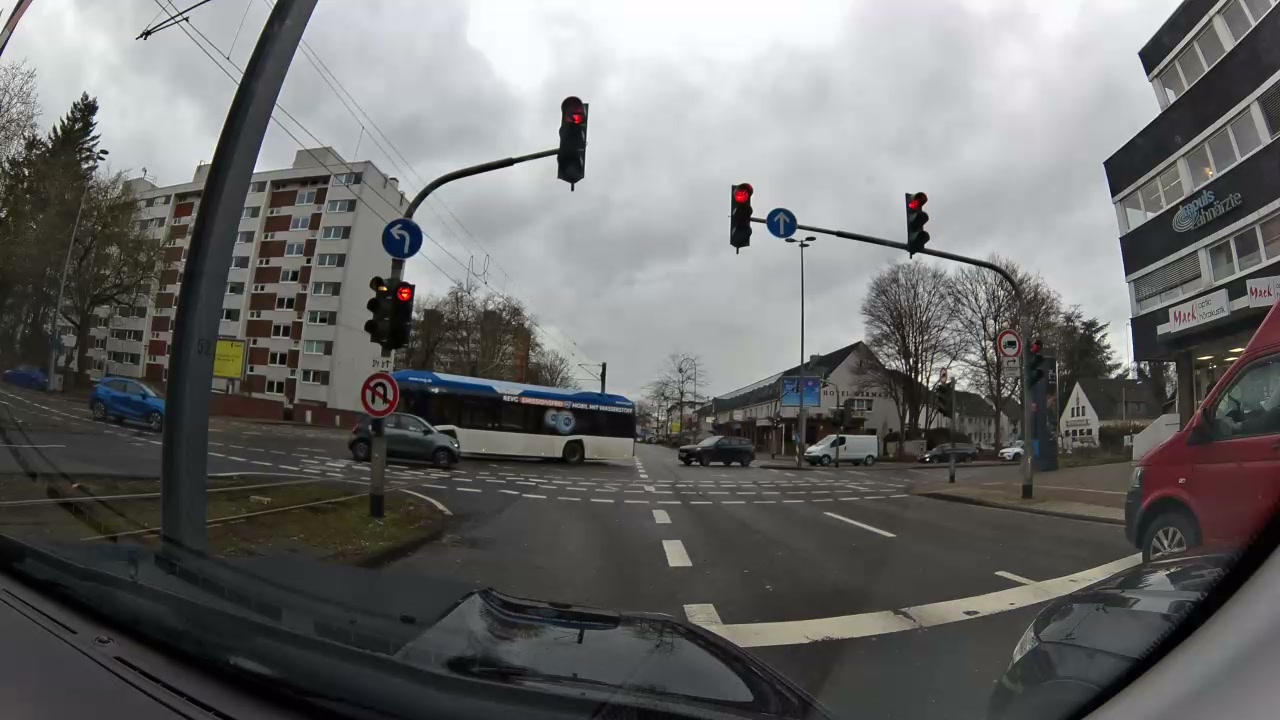
Metadata
Try this API query
curl -X POST https://beemaps.com/api/developer/imagery/latest/poly \
  -H "Authorization: Basic <your-api-key>" \
  -H "Content-Type: application/json" \
  -d '{
    "polygon": [
      [6.8316, 50.9402],
      [6.8336, 50.9402],
      [6.8336, 50.9422],
      [6.8316, 50.9422],
      [6.8316, 50.9402]
    ]
  }'
No special deployment. No local team. The fleet manager in Germany installed the Bee dashcams for safety monitoring and gets map coverage as a byproduct. The same onboard AI that detects American speed-limit signs also recognizes European road signs, lane markings, and traffic infrastructure — adapting to local road standards automatically.
What Makes It Work: Zero Interaction
Previous attempts at crowdsourced mapping — Mapillary, OpenStreetCam, even Waze's early efforts — relied on users choosing to open an app, mount a phone, and actively record. Adoption was always the bottleneck. The moment you ask a driver to do something, most won't.
The Bee dashcam eliminates that friction entirely:
- Install once. The fleet manager mounts the camera and connects it to power. That's the last time anyone touches it.
- Drivers never interact with it. No app, no login, no buttons. The camera powers on with the ignition and powers off when the engine stops.
- LTE auto-upload. Captured data uploads automatically over cellular when the vehicle returns to a coverage area. No WiFi pairing, no SD card swaps.
The result is 100% passive data collection. Every mile driven is a mile mapped, every day, without anyone deciding to make it happen.
And the AI doesn't just capture — it monitors. Here is a speeding event flagged on a highway in Delaware, where a vehicle exceeded the posted 65 mph limit for over 16 seconds:

Metadata
| # | Latitude | Longitude | Altitude | Time |
|---|---|---|---|---|
| 1 | 39.620710 | -75.646297 | -11.0m | 11:50:42 PM |
| 2 | 39.620376 | -75.646159 | -10.1m | 11:50:43 PM |
| 3 | 39.620041 | -75.646040 | -9.3m | 11:50:44 PM |
| 4 | 39.619705 | -75.645940 | -8.7m | 11:50:45 PM |
| 5 | 39.619369 | -75.645860 | -8.2m | 11:50:46 PM |
| 6 | 39.619030 | -75.645798 | -7.9m | 11:50:47 PM |
| 7 | 39.618691 | -75.645753 | -7.9m | 11:50:48 PM |
| 8 | 39.618349 | -75.645724 | -7.8m | 11:50:49 PM |
Try this API query
curl https://beemaps.com/api/developer/aievents/697e9678fec3813e8f94c060\
?includeGnssData=true\&includeImuData=true \
  -H "Authorization: Basic <your-api-key>"
Fleet managers see these events in real time. Researchers and developers can query them at scale through the Bee Maps API. All from the same passive dashcam that's also building the map.
Data Quality: From Raw Detections to Verified Features
A single detection from one drive isn't enough to update a map. Bee Maps uses multiple observations to build confidence over time. When a feature is first detected, it enters the system as a candidate. As more dashcams independently confirm the same feature at the same location, its confidence score increases. Features that aren't re-observed on subsequent passes are flagged for review and eventually deprecated.
This multi-observation approach filters out false positives — a misread sign, a temporary obstruction, a construction detour — and ensures that only verified, repeatedly confirmed features make it into the production map. The firstSeen and lastSeen timestamps on every feature tell you exactly how fresh and how well-validated each data point is.
Privacy by Design
Every keyframe captured by the Bee dashcam is privacy-blurred on-device before it ever leaves the camera. Faces, license plates, and other personally identifiable information are detected and obscured by the onboard AI in real time. This processing happens at the edge — raw, unblurred imagery is never uploaded or stored.
For fleets operating in the EU, this on-device blurring is designed with GDPR compliance in mind. No personal data is transmitted, and fleet managers retain full control over their data through the Bee Maps dashboard.
Try It Yourself
Everything shown in this post — the imagery, the map features, the AI safety events — is available through the Bee Maps API. Expand any embed above to see the exact API query that retrieves it.
Here's a quick example — retrieve all speed-limit signs within a bounding box:
curl "https://api.beemaps.com/v1/map-features?class=speed-sign&bbox=-118.50,33.90,-118.40,34.00" \
  -H "Authorization: Bearer YOUR_API_KEY"
The response includes every detected sign with its GPS coordinates, confidence score, speed value, and observation history — ready to integrate into your navigation, ADAS, or mapping pipeline.
Whether you're building an autonomous driving dataset, validating HD map accuracy, monitoring fleet safety, or training a world model, Bee Maps gives you continuously updated, street-level data from real-world driving — no camera cars required.